> ## Documentation Index
> Fetch the complete documentation index at: https://docs.pingtree.com/llms.txt
> Use this file to discover all available pages before exploring further.
# Endpoint & Distribution Configuration
> Step-by-step guide to create and configure custom endpoints and set up distribution logic in Pingtree.
# Endpoint & Distribution Configuration
Follow these steps to build and activate a custom endpoint, then wire up distribution logic (routing rules, filters, CAPs, thresholds).
> **Video Walkthrough:** A step-by-step video guide for this feature is coming soon.
 ***
## Pre-Setup Considerations
Before you begin, gather:
* **Endpoint function**: direct buyer, CRM, dialer, data warehouse, etc.
* **Routing method**: Form, Click, Ping+Post, or Pingtree Routing.
* **API specs**: endpoint URLs, methods, payload formats, authentication, and response structure.
* **Filter & rule criteria**: geolocation, CAPs, time windows, custom routing logic.
***
1. Go to **Distribution → Custom Endpoint**.
***
## Pre-Setup Considerations
Before you begin, gather:
* **Endpoint function**: direct buyer, CRM, dialer, data warehouse, etc.
* **Routing method**: Form, Click, Ping+Post, or Pingtree Routing.
* **API specs**: endpoint URLs, methods, payload formats, authentication, and response structure.
* **Filter & rule criteria**: geolocation, CAPs, time windows, custom routing logic.
***
1. Go to **Distribution → Custom Endpoint**.
2. Click **Add Custom Endpoint**.
3. Enter a **Name**, select a **Parent Endpoint**, and save.
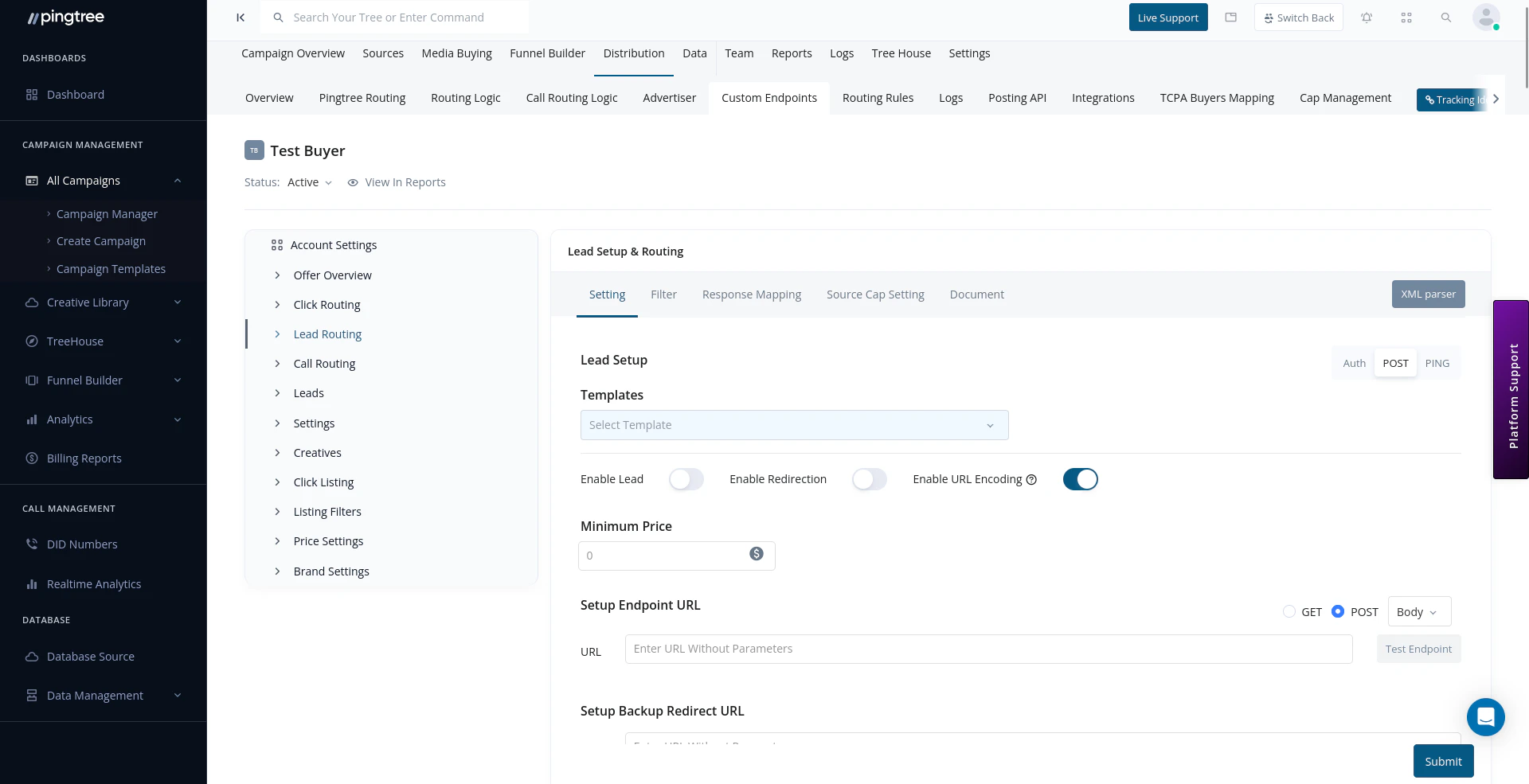
1. In the **Lead Routing** tab, enter your **Primary URL** and **Backup URL** (optional).
2. Map system fields and any **Static Fields** (headers, tokens, etc.).
3. (Optional) Set a **Minimum Price** to only accept leads if the response price ≥ your threshold.
1. Choose **GET** or **POST** (per API specs).
2. Select **Payload Format**:
* JSON (default)
* x-www-form-urlencoded
* form-data
* XML (16-bit or 8-bit)
1. In **Response Mapping**, map:
* **Success flag** (accept/reject)
* **Amount** (revenue)
* **URL** (redirects)
* **Reject Reason** (for logs)
2. Assign **Endpoint Timeout** (seconds to wait per request).
3. Use **Sample Response** to test with a real `transaction_id`.
1. Go to the **Filters** tab.
2. Enable **Black List Alliance** (if used).
3. Configure **Geolocation**, **State/Zip** filters.
4. Set **CAPs** (global, daily, weekly, monthly).
5. Define **Day-Parting** time windows.
1. In **Price Settings**, assign a **Fixed Payout** per sale.
2. Toggle **Override Campaign Settings** for source-specific pricing.
3. Click **Test Endpoint**, enter sample values, and verify the live API response.
1. Toggle **Enable Endpoint** on.
2. In the top-left, select **Activate**.
3. Ensure the endpoint status shows **Active**.
1. **Routing Rules**: Create IF/THEN conditions under **Distribution → Routing Logic**.
2. **Routing Models**:
* Base Routing: default delivery
* Conditional Routing: custom rules
* Failover Routing: catch-all
3. **Routing Thresholds**: apply weights for rotational distribution.
4. Save and **Publish** your campaign changes.
***
You’re all set! Your endpoint is now live with full distribution logic. Monitor logs and adjust filters, CAPs, or routing rules as needed.