> ## Documentation Index
> Fetch the complete documentation index at: https://docs.pingtree.com/llms.txt
> Use this file to discover all available pages before exploring further.
# Integrations
> Enable or disable built-in validation and fraud prevention tools on a per-source basis.
> **Note:** This tab is available in **Custom Source (CS)**, **Marketing Partner (MP)**, and **Media Channel (MC)** source types.
The **Integrations** tab allows users to apply validation and qualification tools to a specific traffic source.
Pingtree supports several third-party integrations that help improve lead quality and minimize risk. These integrations can be applied globally at the campaign level or customized per traffic source from this tab.
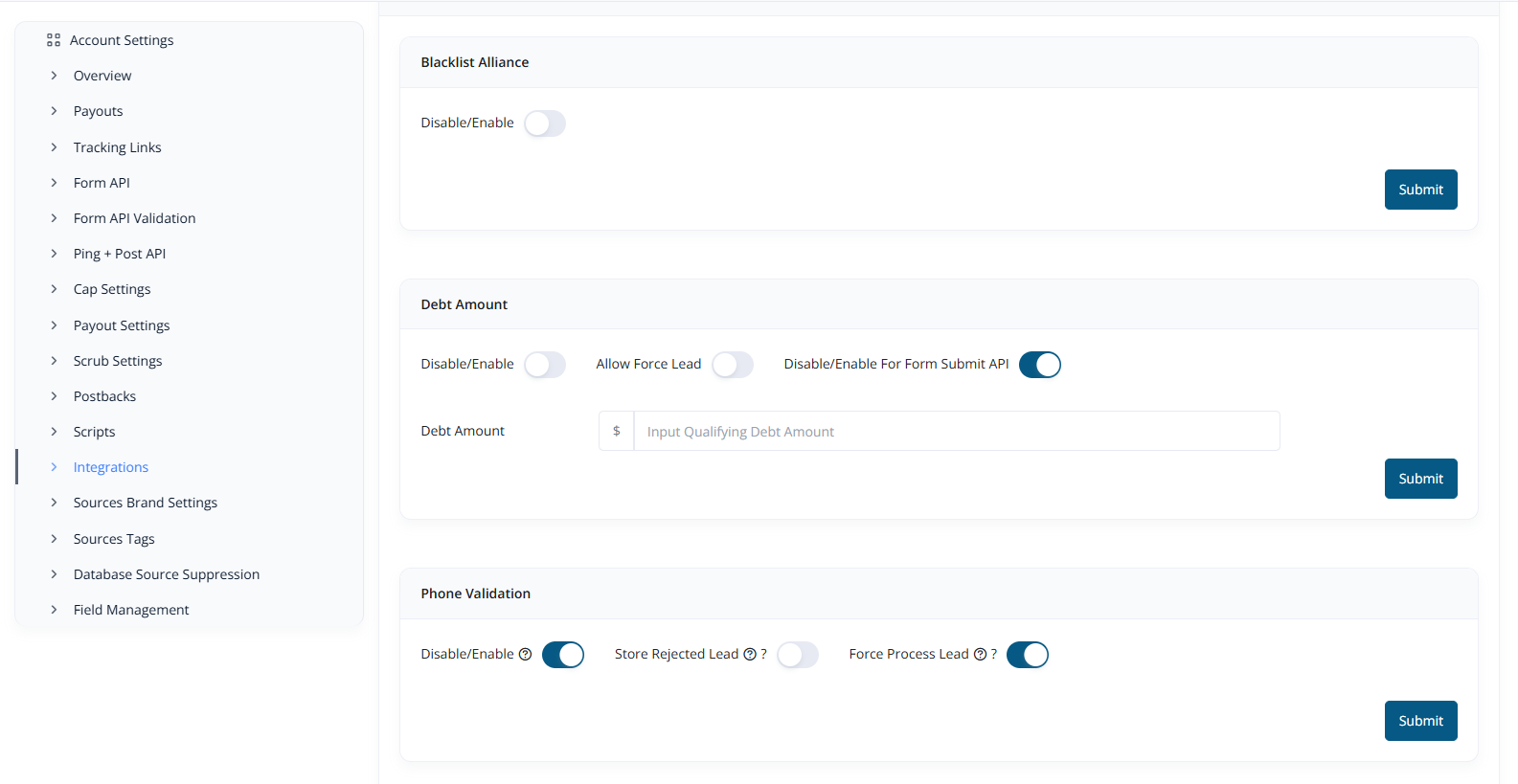 ### Available Integrations
* Blacklist Alliance – Screen leads against known spam or fraud databases
* Debt Pull API – Fetch unsecured debt amount for the lead
* Phone & Email Validator – Validate contact details for accuracy and authenticity
* Fraud Detection – Identify high-risk leads and suspicious activity patterns
### Configuration Notes
* By default, **most integrations are automatically enabled** for new sources.
* Make sure to **manually disable them** in this view, if you prefer not to use certain integrations.
This allows greater control and flexibility over how leads are validated and filtered for each individual source.
***
* [Click here to view Custom Source Single View pages](./Custom-Source-Single-View)
* [Click here to view Marketing Partner Single View pages](./Marketing-Partner-Single-View)
* [Click here to view Media Channel Single View pages](./Media-Channel-Single-View)
### Available Integrations
* Blacklist Alliance – Screen leads against known spam or fraud databases
* Debt Pull API – Fetch unsecured debt amount for the lead
* Phone & Email Validator – Validate contact details for accuracy and authenticity
* Fraud Detection – Identify high-risk leads and suspicious activity patterns
### Configuration Notes
* By default, **most integrations are automatically enabled** for new sources.
* Make sure to **manually disable them** in this view, if you prefer not to use certain integrations.
This allows greater control and flexibility over how leads are validated and filtered for each individual source.
***
* [Click here to view Custom Source Single View pages](./Custom-Source-Single-View)
* [Click here to view Marketing Partner Single View pages](./Marketing-Partner-Single-View)
* [Click here to view Media Channel Single View pages](./Media-Channel-Single-View)