> ## Documentation Index
> Fetch the complete documentation index at: https://docs.pingtree.com/llms.txt
> Use this file to discover all available pages before exploring further.
# Source Overview
> High-level performance analytics of a specific traffic source including revenue, payouts, and comparisons.
> **Note:** This tab is only available in **Custom Source (CS)** and **Marketing Partner (MP)** source types.
The **Overview** tab in the *Source Single View* provides a detailed reporting dashboard for a specific source. While many configuration settings can be managed at the campaign level (impacting all traffic sources), the Overview tab offers granular insight and control over an individual source’s performance.
This tab is especially useful for monitoring and comparing key metrics, allowing you to fine-tune your lead traffic strategies.
## What's Included
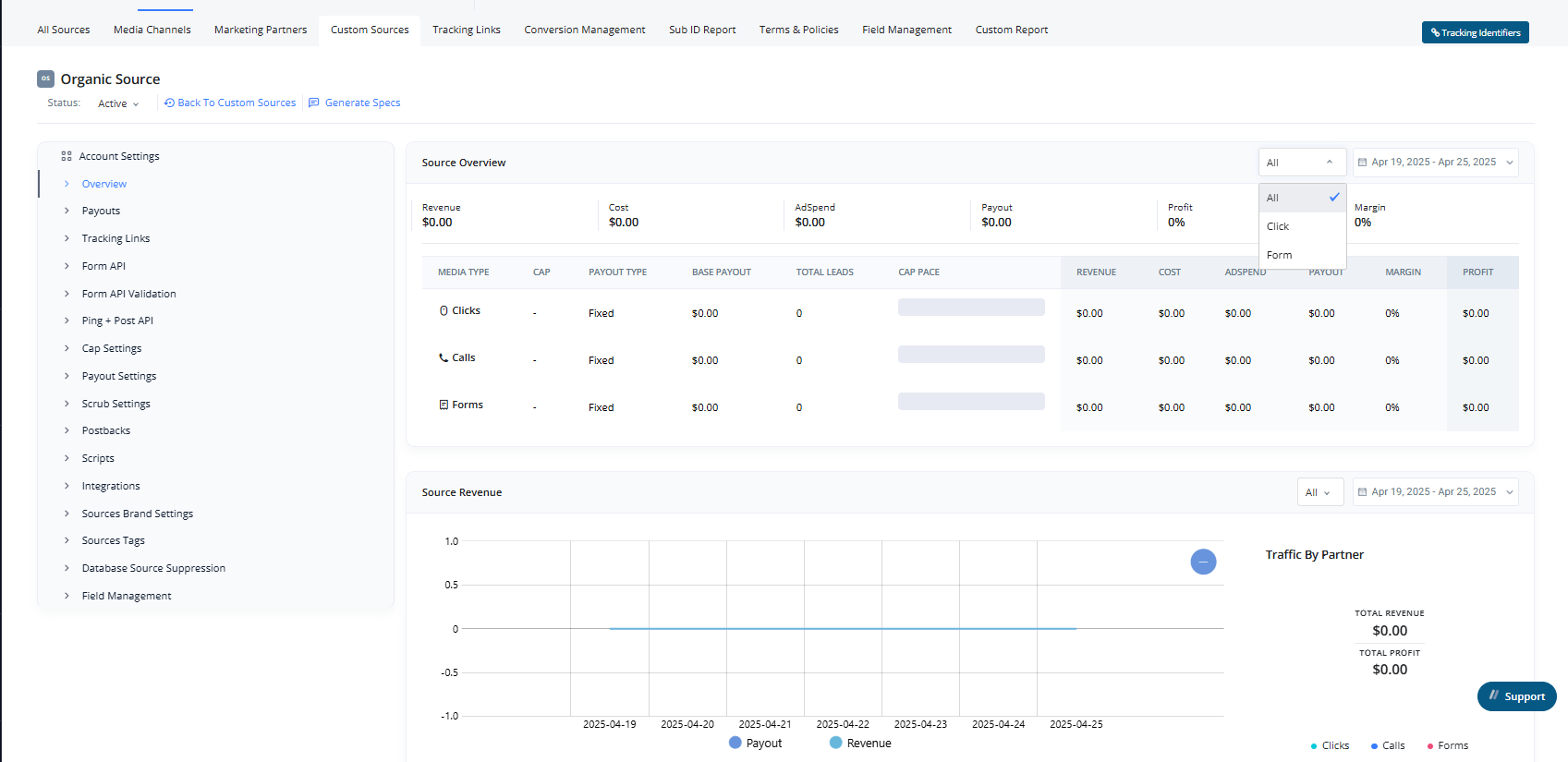 The page is divided into three key reporting sections:
### 1. Source Overview
A summary of core performance metrics for the selected source, including:
* **Revenue**
* **Cost**
* **Ad Spend**
* **Payout**
* **Margin**
* **Profit**
* Apply custom **Date Ranges** for analysis.
Additionally, it displays:
* **Payout Type**
* **Cap Pace**
Metrics are shown based on the traffic type: **Click**, **Call**, and **Form**.
### 2. Source Revenue
This report shows a **line graph** of the source’s **Revenue** and **Payout**, with the ability to:
* Filter by traffic type: **All**, **Click**, **Call**, or **Form**
* Apply custom **Date Ranges** for analysis
Each filter option updates the graph individually for precise insights.
### 3. Source Compare
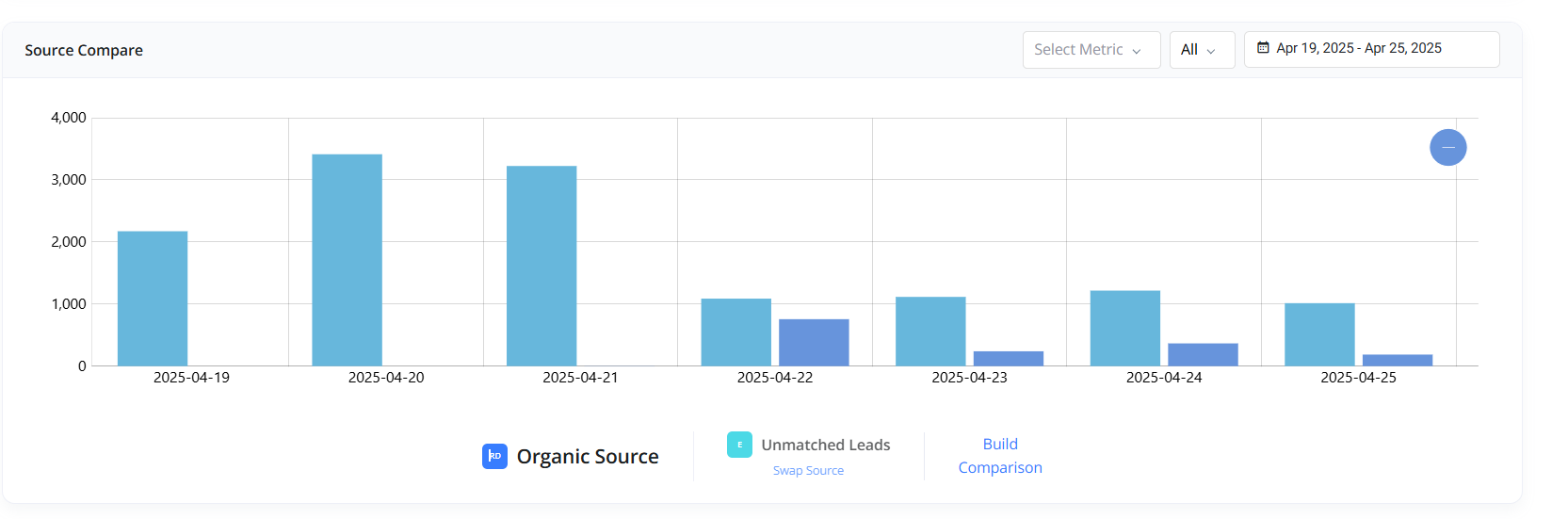
This section lets you:
* Select and compare multiple other sources
* View a **bar chart** (daily breakdown)
* Toggle between metrics: **Volume**, **Revenue**, **Profit**, or **Payout**
Use this tool to benchmark your source’s performance against others over time.
* Apply custom **Date Ranges** for analysis
The page is divided into three key reporting sections:
### 1. Source Overview
A summary of core performance metrics for the selected source, including:
* **Revenue**
* **Cost**
* **Ad Spend**
* **Payout**
* **Margin**
* **Profit**
* Apply custom **Date Ranges** for analysis.
Additionally, it displays:
* **Payout Type**
* **Cap Pace**
Metrics are shown based on the traffic type: **Click**, **Call**, and **Form**.
### 2. Source Revenue
This report shows a **line graph** of the source’s **Revenue** and **Payout**, with the ability to:
* Filter by traffic type: **All**, **Click**, **Call**, or **Form**
* Apply custom **Date Ranges** for analysis
Each filter option updates the graph individually for precise insights.
### 3. Source Compare
This section lets you:
* Select and compare multiple other sources
* View a **bar chart** (daily breakdown)
* Toggle between metrics: **Volume**, **Revenue**, **Profit**, or **Payout**
Use this tool to benchmark your source’s performance against others over time.
* Apply custom **Date Ranges** for analysis
 ***
* [Click here to view Custom Source Single View pages](./Custom-Source-Single-View)
* [Click here to view Marketing Partner Single View pages](./Marketing-Partner-Single-View)
* [Click here to view Media Channel Single View pages](./Media-Channel-Single-View)
***
* [Click here to view Custom Source Single View pages](./Custom-Source-Single-View)
* [Click here to view Marketing Partner Single View pages](./Marketing-Partner-Single-View)
* [Click here to view Media Channel Single View pages](./Media-Channel-Single-View)