> ## Documentation Index
> Fetch the complete documentation index at: https://docs.pingtree.com/llms.txt
> Use this file to discover all available pages before exploring further.
# Scrub Settings
> Set up payout scrubbing logic based on unit or revenue thresholds, with optional sub-ID conditions.
> **Note:** This tab is available in **Custom Source (CS)** and **Marketing Partner (MP)** source types.
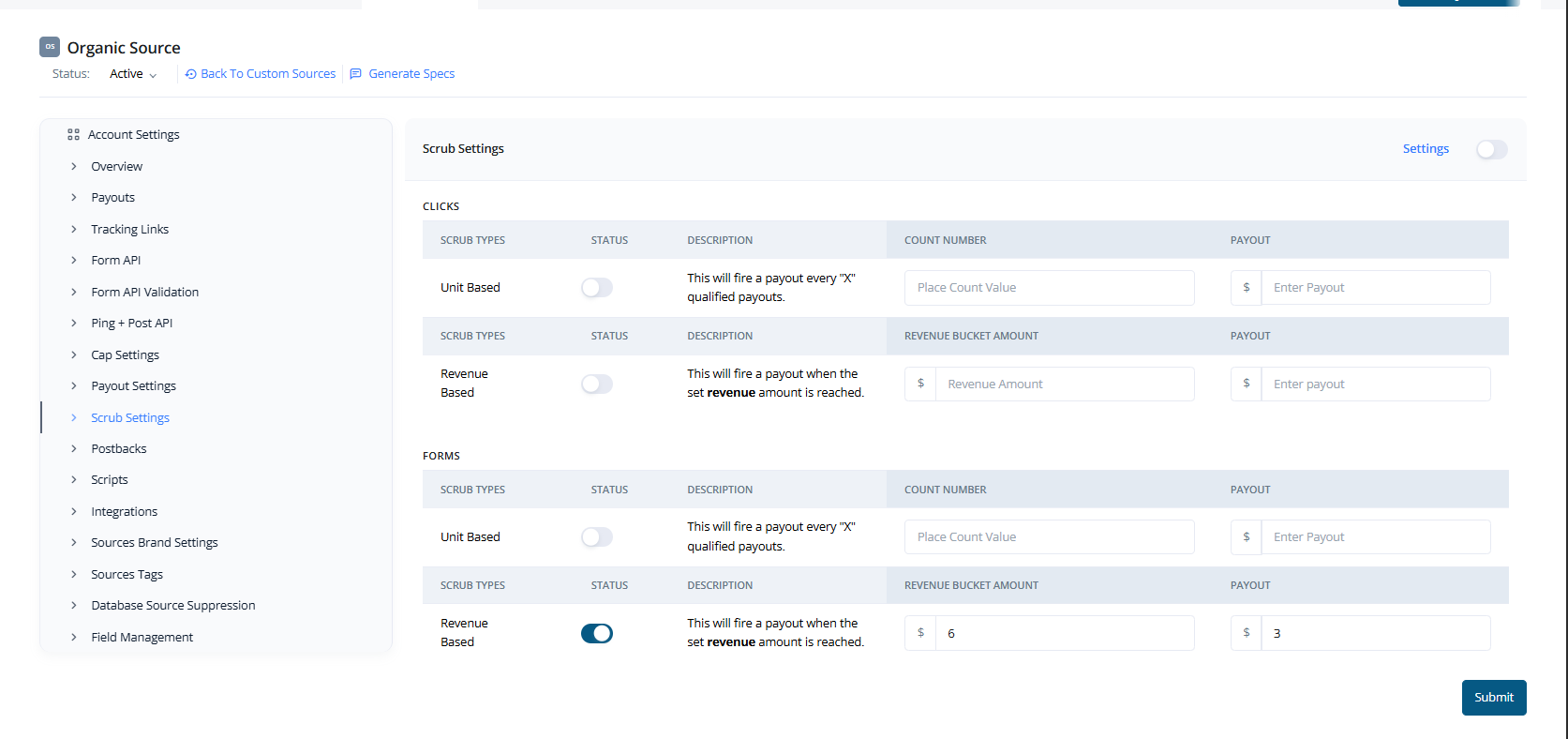
The **Scrub Settings** tab allows you to configure scrub-based payout structures for clicks and forms. These are typically used to pay out traffic sources after a certain level of qualification or revenue has been met — instead of paying for each individual lead.
 ## Scrub Types
You can configure scrub payouts for two lead types:
* **Clicks**
* **Forms**
Each of these supports two scrub strategies:
### 1. **Unit-Based Scrub**
Payout is triggered **after every X qualified leads**.
Example: Set a scrub to fire a payout after every 5 qualified form submissions.
### 2. **Revenue-Based Scrub**
Payout is triggered **once a set revenue threshold is reached**.
Example: Set a scrub to fire a payout every time the lead revenue crosses \$100.
## Advanced Settings - Sub ID Customization
## Scrub Types
You can configure scrub payouts for two lead types:
* **Clicks**
* **Forms**
Each of these supports two scrub strategies:
### 1. **Unit-Based Scrub**
Payout is triggered **after every X qualified leads**.
Example: Set a scrub to fire a payout after every 5 qualified form submissions.
### 2. **Revenue-Based Scrub**
Payout is triggered **once a set revenue threshold is reached**.
Example: Set a scrub to fire a payout every time the lead revenue crosses \$100.
## Advanced Settings - Sub ID Customization
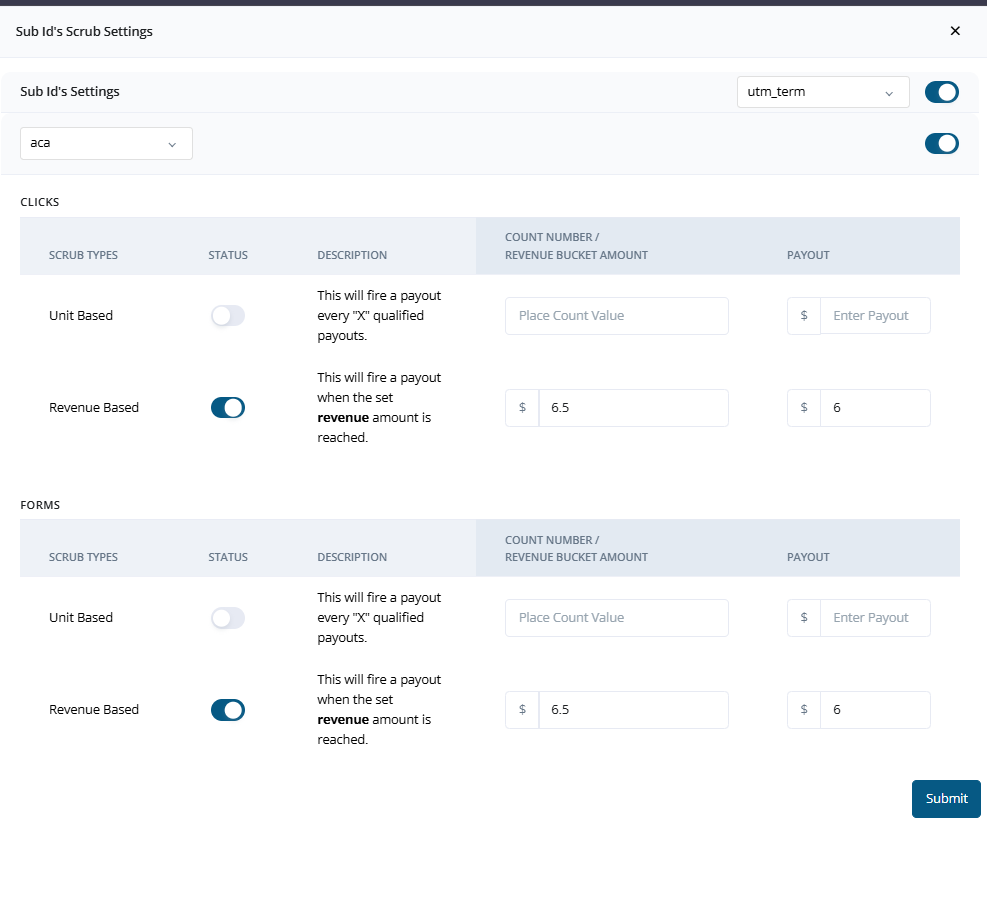 In addition to global scrub rules, you can define **custom scrub logic based on sub IDs** (typically captured via tracking parameters like `utm_term`).
This allows different scrub conditions per sub-source or traffic segment.
### Example Use Case:
* For `utm_term=aca`, apply a specific unit-based scrub (e.g., $6 payout after $6.5 in revenue).
* For `utm_term=med`, apply a revenue-based scrub (e.g., 1 payout every 3 leads).
These sub-ID level controls provide powerful flexibility in managing scrub payouts per traffic type or partner.
***
* [Click here to view Custom Source Single View pages](./Custom-Source-Single-View)
* [Click here to view Marketing Partner Single View pages](./Marketing-Partner-Single-View)
* [Click here to view Media Channel Single View pages](./Media-Channel-Single-View)
In addition to global scrub rules, you can define **custom scrub logic based on sub IDs** (typically captured via tracking parameters like `utm_term`).
This allows different scrub conditions per sub-source or traffic segment.
### Example Use Case:
* For `utm_term=aca`, apply a specific unit-based scrub (e.g., $6 payout after $6.5 in revenue).
* For `utm_term=med`, apply a revenue-based scrub (e.g., 1 payout every 3 leads).
These sub-ID level controls provide powerful flexibility in managing scrub payouts per traffic type or partner.
***
* [Click here to view Custom Source Single View pages](./Custom-Source-Single-View)
* [Click here to view Marketing Partner Single View pages](./Marketing-Partner-Single-View)
* [Click here to view Media Channel Single View pages](./Media-Channel-Single-View)