> ## Documentation Index
> Fetch the complete documentation index at: https://docs.pingtree.com/llms.txt
> Use this file to discover all available pages before exploring further.
# Custom Reports
> Create and save personalized reports based on source performance, fields, and time filters.
## Overview
The **Custom Report** feature in Pingtree (PT) allows campaign owners to create and configure personalized reports for their **Marketing Partners (MPs)**.\
By default, MPs have access to only basic information about the leads they generate.\
However, using the **Custom Report** functionality, the campaign owner can curate a detailed, tailored report and make it available to specific MPs.
## Key Features
* **Create Custom Reports for MPs**\
Campaign owners can generate customized views with specific metrics and KPIs relevant to each MP's needs.
* **Save and Assign Reports**\
When saving a report, users can:
* Enter a name for the report
* Select one or multiple Marketing Partners to whom the report should be made available
* Choose a time interval for the data
* Set the timezone
* **Enhanced Data Visibility**\
This feature empowers campaign owners to provide more detailed and actionable data to their MP users, beyond the default basic reports.
## How It Works
1. Navigate to the **Custom Report** tab.
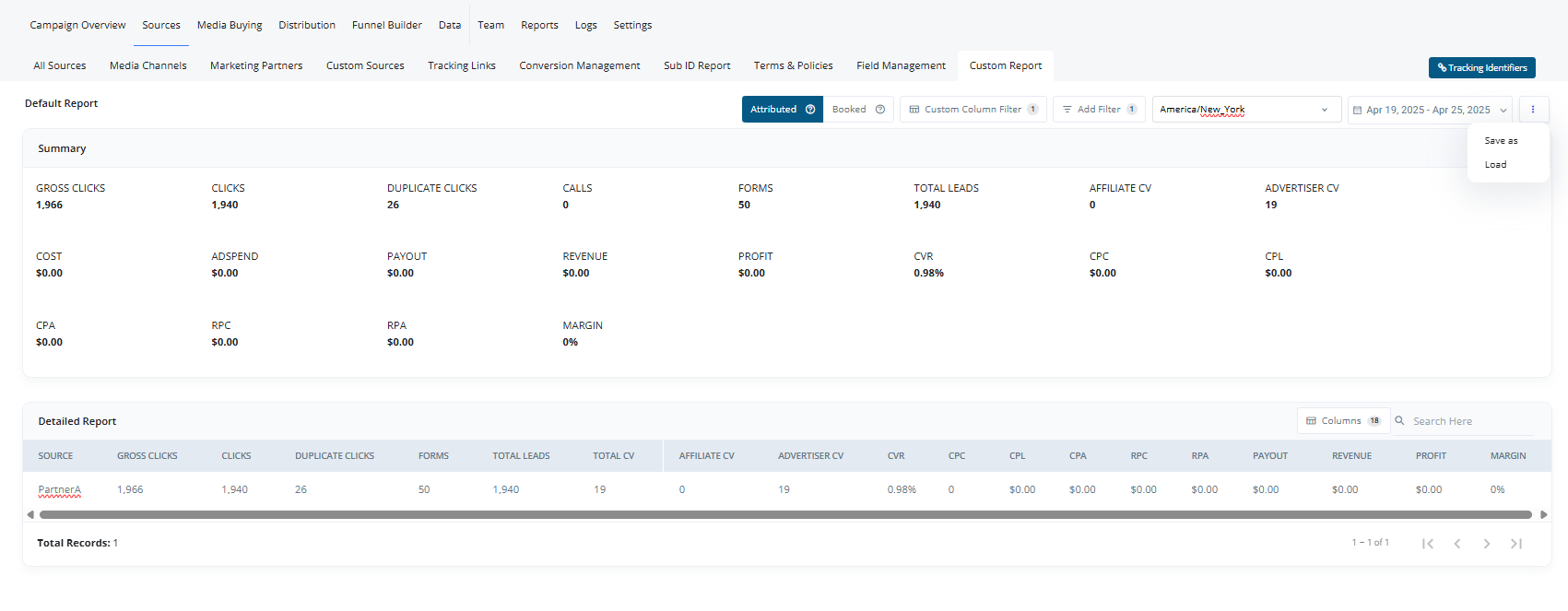 2. Configure your report by filtering and selecting the required columns and metrics.
3. Click on the **Save** button.
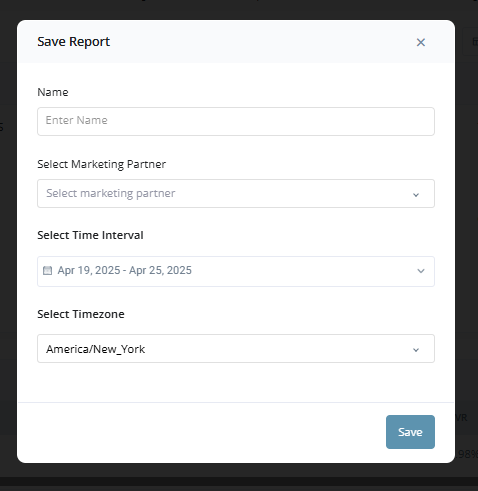
4. Fill out the following fields in the Save Report popup:
* **Name:** Name of the report
* **Select Marketing Partner:** Choose one or more MPs
* **Select Time Interval:** Define the time range for the report data
* **Select Timezone:** Set the report's timezone
5. Save the report and it will become visible to the selected Marketing Partners when they log in.
2. Configure your report by filtering and selecting the required columns and metrics.
3. Click on the **Save** button.
4. Fill out the following fields in the Save Report popup:
* **Name:** Name of the report
* **Select Marketing Partner:** Choose one or more MPs
* **Select Time Interval:** Define the time range for the report data
* **Select Timezone:** Set the report's timezone
5. Save the report and it will become visible to the selected Marketing Partners when they log in.
 ***
> **Note:**\
> Custom reports help bridge the gap between your internal analytics and what your partners see, making the reporting process flexible, controlled, and highly customizable.
***
> **Note:**\
> Custom reports help bridge the gap between your internal analytics and what your partners see, making the reporting process flexible, controlled, and highly customizable.