> ## Documentation Index
> Fetch the complete documentation index at: https://docs.pingtree.com/llms.txt
> Use this file to discover all available pages before exploring further.
# Flow Analytics
> Analyze the performance of landing pages and form flows with detailed metrics, visual charts, and financial insights.
## Overview
The **Flow Analytics** section offers a deep dive into how your campaign’s landing pages and form flows are performing. It consists of two primary tabs:
* **Landing Page Analytics**
* **Form Flow Analytics**
Each tab provides dynamic charts, performance metrics, and financial breakdowns to evaluate traffic quality, lead generation, and conversion success.
***
## Landing Page Analytics
### 1. Sources Overview Section
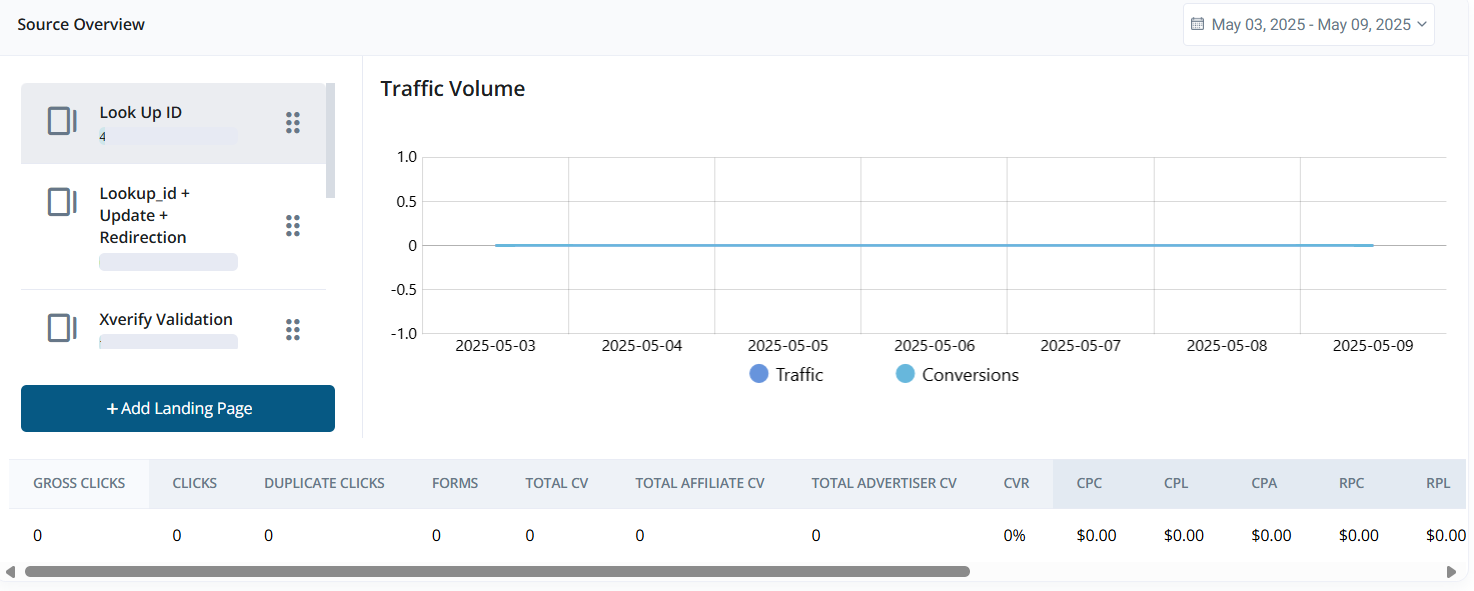 **Left Panel**
* Lists all available landing pages.
* Includes an **Add Landing Page** button for quick creation.
**Right Panel (Line Chart)**
* Displays a **Traffic vs Conversions** chart.
* The chart updates based on the selected landing page.
**Metrics Table (Below Chart)**
Includes metrics grouped into four categories:
* **Traffic & Click Data**:\
Gross Clicks, Clicks, Duplicate Clicks, Forms
* **Conversion Data**:\
Total CV, Affiliate CV, Advertiser CV, CVR
* **Cost & Performance Metrics**:\
CPC, CPL, CPA\
RPC, RPL, RPA
* **Financials**:\
Cost, Ad Spend, Payout, Revenue, Profit, Margin
> All data is filtered by the selected date range.
***
### 2. Landing Page & Funnel Analytics Section
**Left Panel**
* Lists all available landing pages.
* Includes an **Add Landing Page** button for quick creation.
**Right Panel (Line Chart)**
* Displays a **Traffic vs Conversions** chart.
* The chart updates based on the selected landing page.
**Metrics Table (Below Chart)**
Includes metrics grouped into four categories:
* **Traffic & Click Data**:\
Gross Clicks, Clicks, Duplicate Clicks, Forms
* **Conversion Data**:\
Total CV, Affiliate CV, Advertiser CV, CVR
* **Cost & Performance Metrics**:\
CPC, CPL, CPA\
RPC, RPL, RPA
* **Financials**:\
Cost, Ad Spend, Payout, Revenue, Profit, Margin
> All data is filtered by the selected date range.
***
### 2. Landing Page & Funnel Analytics Section
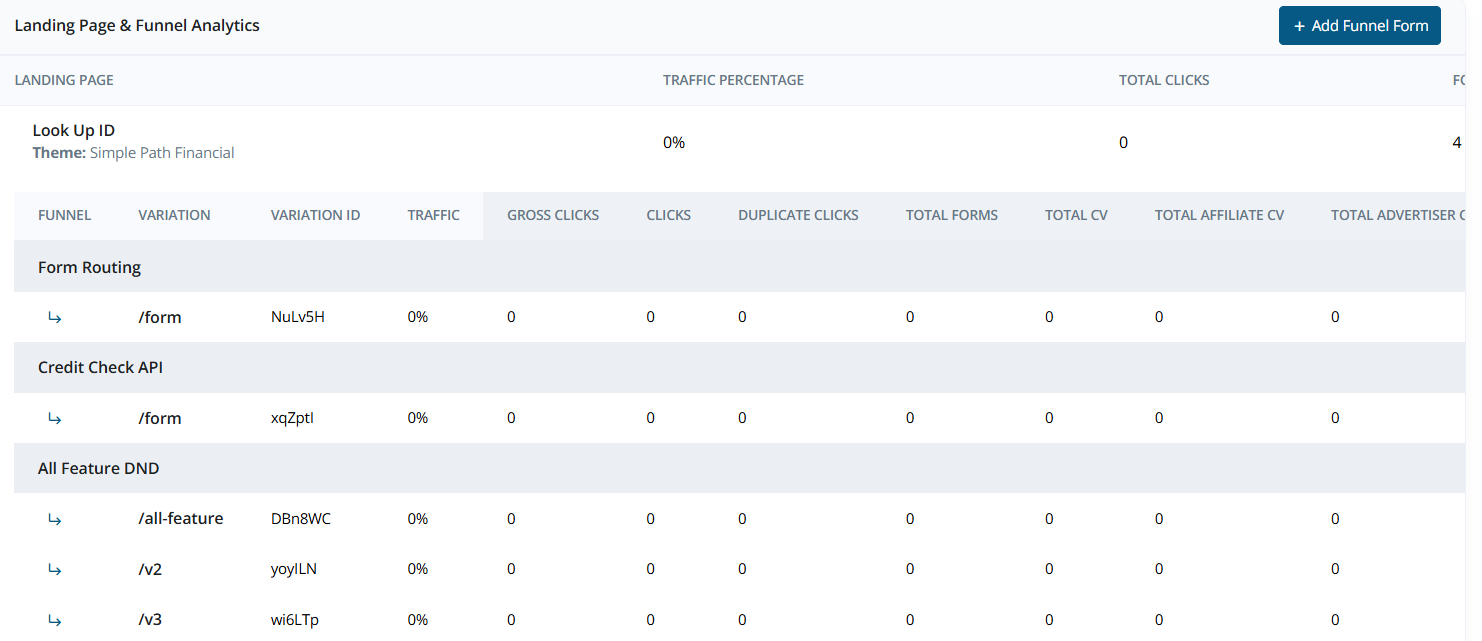 Displays high-level configuration and statistics:
* **Landing Page Details**:\
Lookup ID, Update behavior, Redirection type, Theme, Total Clicks
* **Traffic Distribution**:\
Visual summary of how traffic is distributed
Includes an **Add Funnel Form** button to create a new form flow.
**Funnel Form Flow Table**
Displays variations of funnel forms with the following metrics:
* Traffic, Gross Clicks, Clicks, Duplicate Clicks
* Total Forms, Total CV, Affiliate CV, Advertiser CV
* CVR, CPC, CPL, CPA
* RPC, RPL, RPA
* Cost, Ad Spend, Payout, Revenue, Profit, Margin
***
## Form Flow Analytics
### 1. Sources Overview Section
Displays high-level configuration and statistics:
* **Landing Page Details**:\
Lookup ID, Update behavior, Redirection type, Theme, Total Clicks
* **Traffic Distribution**:\
Visual summary of how traffic is distributed
Includes an **Add Funnel Form** button to create a new form flow.
**Funnel Form Flow Table**
Displays variations of funnel forms with the following metrics:
* Traffic, Gross Clicks, Clicks, Duplicate Clicks
* Total Forms, Total CV, Affiliate CV, Advertiser CV
* CVR, CPC, CPL, CPA
* RPC, RPL, RPA
* Cost, Ad Spend, Payout, Revenue, Profit, Margin
***
## Form Flow Analytics
### 1. Sources Overview Section
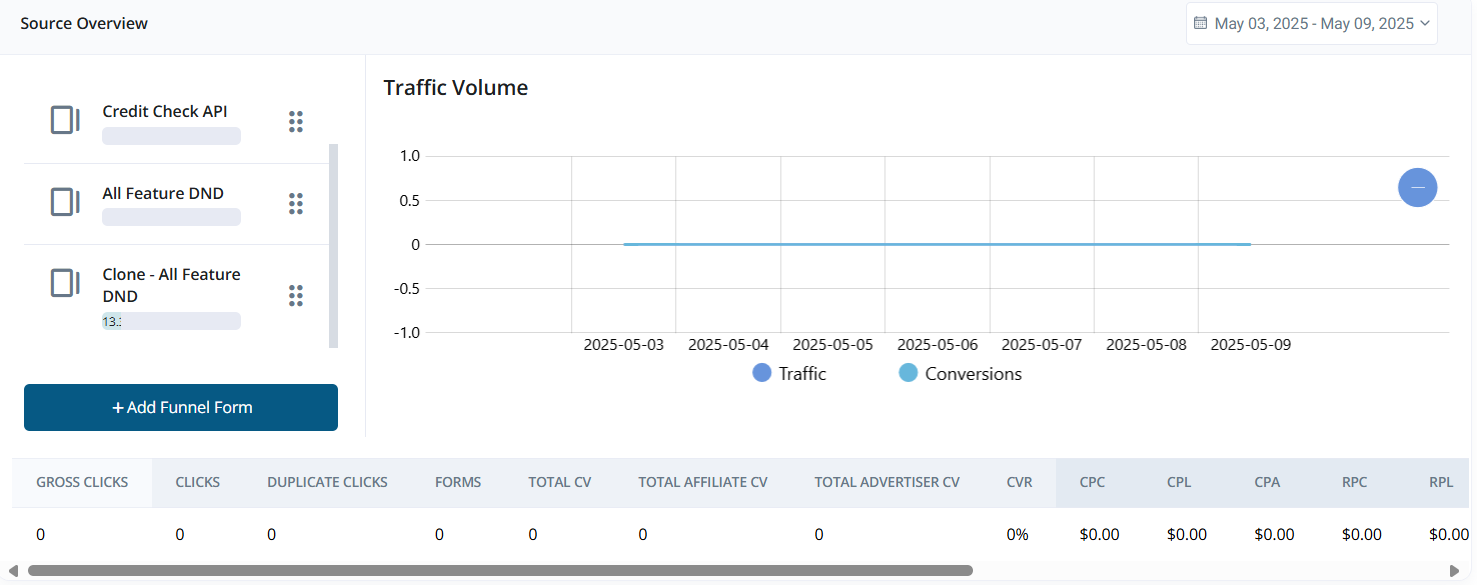 **Left Panel**
* Lists all available form flows.
* Includes an **Add Funnel Form** button.
**Right Panel (Line Chart)**
* Displays **Traffic vs Conversions**.
* Updates dynamically based on selected form flows.
**Metrics Table**
Detailed metrics for selected form flows:
* **Traffic & Click Data**:\
Gross Clicks, Clicks, Duplicate Clicks, Forms
* **Conversion Data**:\
Total CV, Affiliate CV, Advertiser CV, CVR
* **Cost & Performance Metrics**:\
CPC, CPL, CPA\
RPC, RPL, RPA
* **Financials**:\
Cost, Ad Spend, Payout, Revenue, Profit, Margin
***
### 2. Funnel Analytics Section
**Left Panel**
* Lists all available form flows.
* Includes an **Add Funnel Form** button.
**Right Panel (Line Chart)**
* Displays **Traffic vs Conversions**.
* Updates dynamically based on selected form flows.
**Metrics Table**
Detailed metrics for selected form flows:
* **Traffic & Click Data**:\
Gross Clicks, Clicks, Duplicate Clicks, Forms
* **Conversion Data**:\
Total CV, Affiliate CV, Advertiser CV, CVR
* **Cost & Performance Metrics**:\
CPC, CPL, CPA\
RPC, RPL, RPA
* **Financials**:\
Cost, Ad Spend, Payout, Revenue, Profit, Margin
***
### 2. Funnel Analytics Section
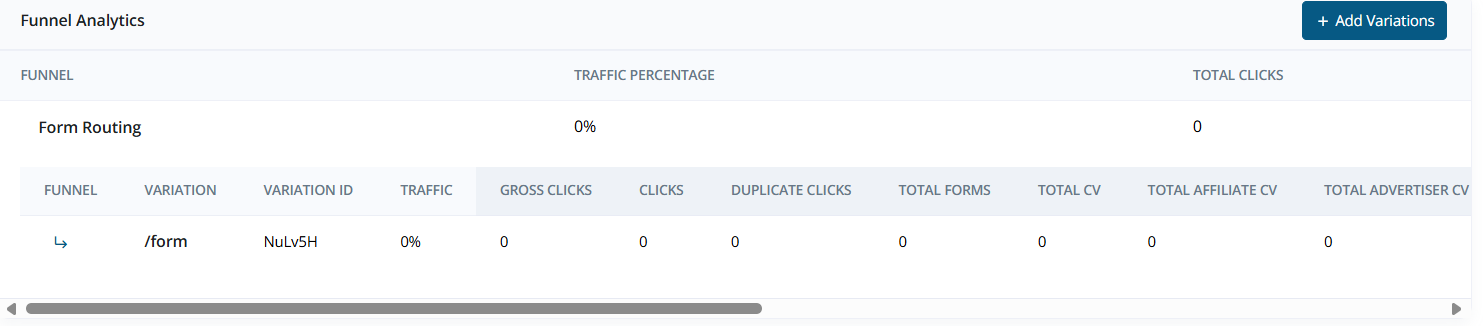 Displays configuration details and key metrics for selected funnel:
* **Funnel Settings**:\
Form Routing, Total Clicks, Traffic Distribution
Includes an **Add Variation** button to add a new form variation.
**Funnel Form Flow Table**
* Variation, Variation ID
* Traffic, Gross Clicks, Clicks, Duplicate Clicks
* Total Forms, Total CV, Affiliate CV, Advertiser CV
* CVR, CPC, CPL, CPA
* RPC, RPL, RPA
* Cost, Ad Spend, Payout, Revenue, Profit, Margin
> **Tip:** Use flow analytics to identify top-performing pages and optimize poorly performing variations.
Displays configuration details and key metrics for selected funnel:
* **Funnel Settings**:\
Form Routing, Total Clicks, Traffic Distribution
Includes an **Add Variation** button to add a new form variation.
**Funnel Form Flow Table**
* Variation, Variation ID
* Traffic, Gross Clicks, Clicks, Duplicate Clicks
* Total Forms, Total CV, Affiliate CV, Advertiser CV
* CVR, CPC, CPL, CPA
* RPC, RPL, RPA
* Cost, Ad Spend, Payout, Revenue, Profit, Margin
> **Tip:** Use flow analytics to identify top-performing pages and optimize poorly performing variations.