> ## Documentation Index
> Fetch the complete documentation index at: https://docs.pingtree.com/llms.txt
> Use this file to discover all available pages before exploring further.
# Landing Page Builder View
> Split-panel interface for designing, customizing, and managing landing pages using real-time drag-and-drop editing and advanced configuration tools.
## Overview
The **Landing Page Builder View** provides a powerful split-panel interface designed to help you visually configure, edit, and publish your landing pages. It combines advanced layout tools with real-time editing and plugin integrations for complete customization control.
***
## Interface Layout
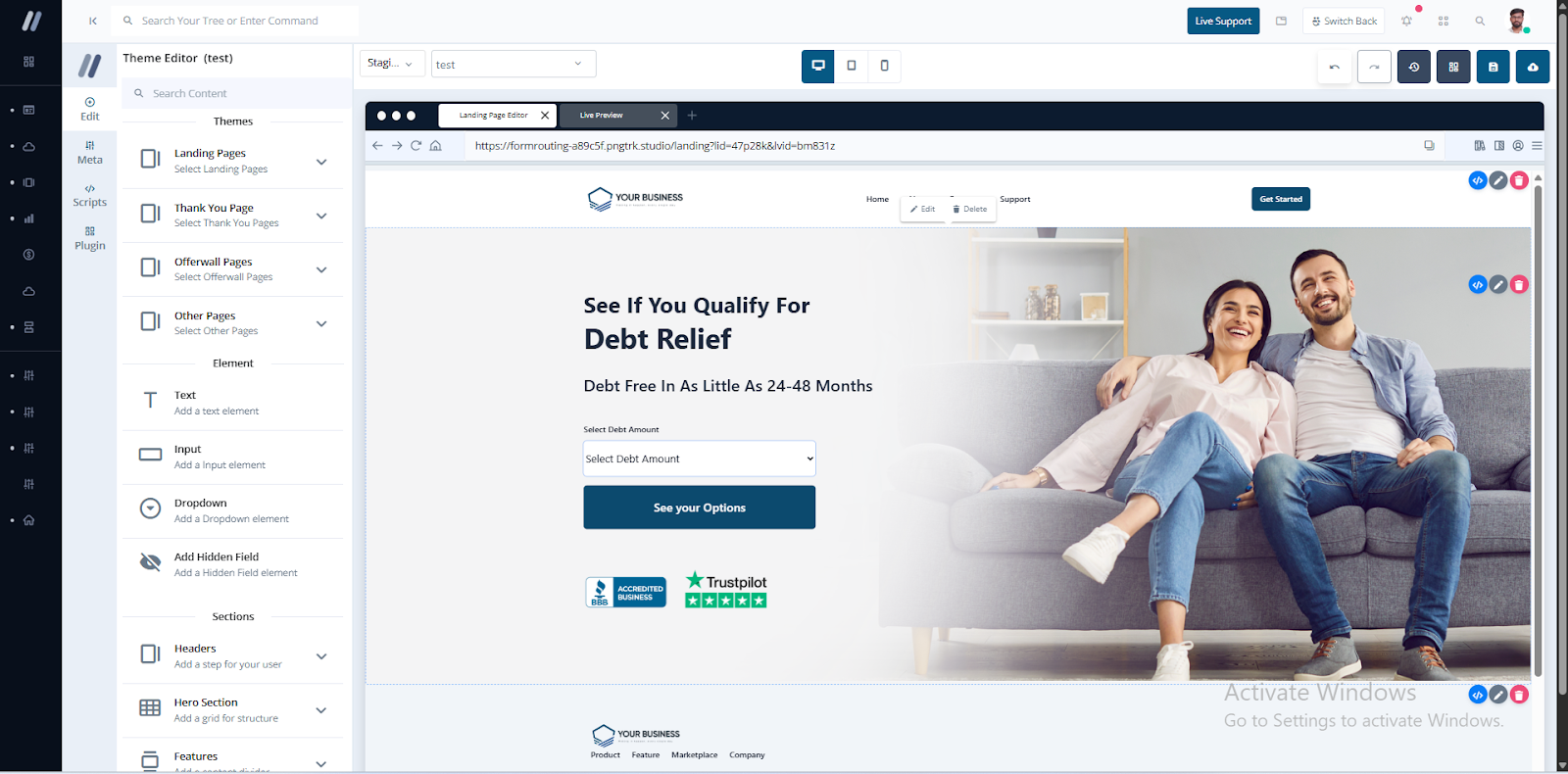
The interface is divided into two sections:
* **Left Panel (20%)**: Configuration and management tools.
* **Right Panel (80%)**: Live visual preview and drag-and-drop editor.
 ***
## Left Panel Features
### 1. Quick Edit
***
## Left Panel Features
### 1. Quick Edit
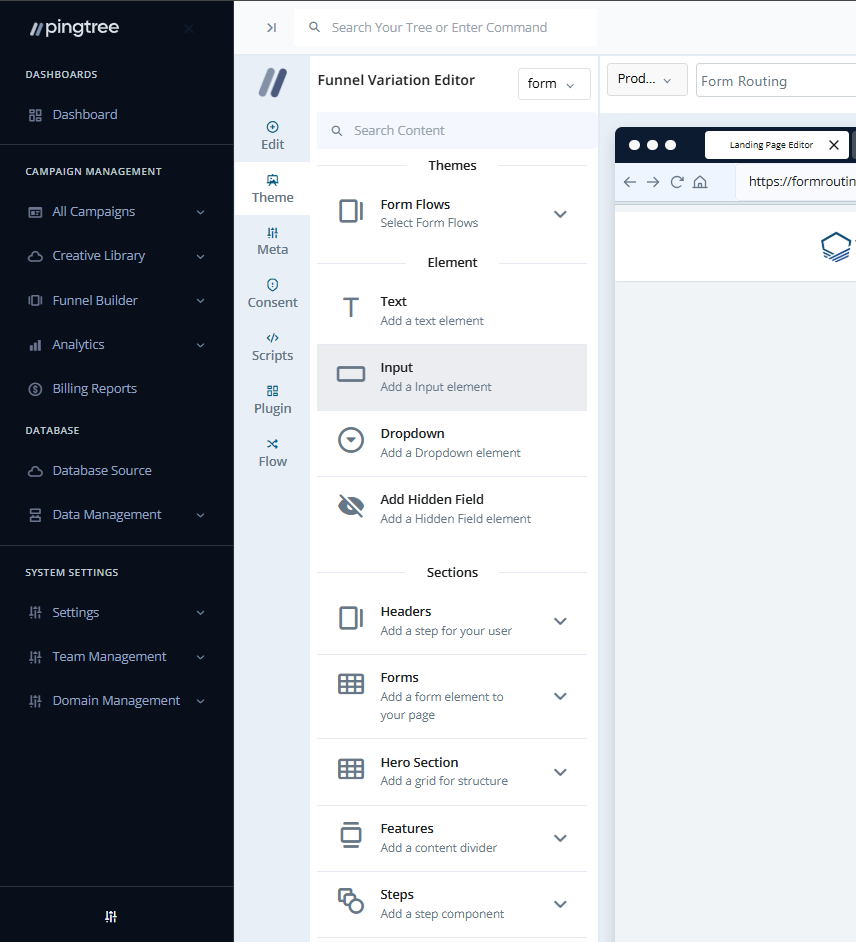 A flexible toolset for building the basic structure of your landing page.
* **Theme Editor**: Select page types such as:
* Landing Page
* Thank You Page
* Offerwall Page
* Other Pages
* **Element Section**: Add inputs like:
* Labels
* Input Fields
* Dropdowns
* Hidden Fields
* **Section Picker**: Drag and drop from pre-built UI components:
* Header & Footer
* Forms & Containers
* Features & Testimonials
* Logo Clouds & CTA Sections
* FAQ, Media, Blog Sections
* Offerwall & Thank You Pages
> **Tip:** Use these sections to rapidly build long-format landing pages.
***
### 2. Meta Tags
A flexible toolset for building the basic structure of your landing page.
* **Theme Editor**: Select page types such as:
* Landing Page
* Thank You Page
* Offerwall Page
* Other Pages
* **Element Section**: Add inputs like:
* Labels
* Input Fields
* Dropdowns
* Hidden Fields
* **Section Picker**: Drag and drop from pre-built UI components:
* Header & Footer
* Forms & Containers
* Features & Testimonials
* Logo Clouds & CTA Sections
* FAQ, Media, Blog Sections
* Offerwall & Thank You Pages
> **Tip:** Use these sections to rapidly build long-format landing pages.
***
### 2. Meta Tags
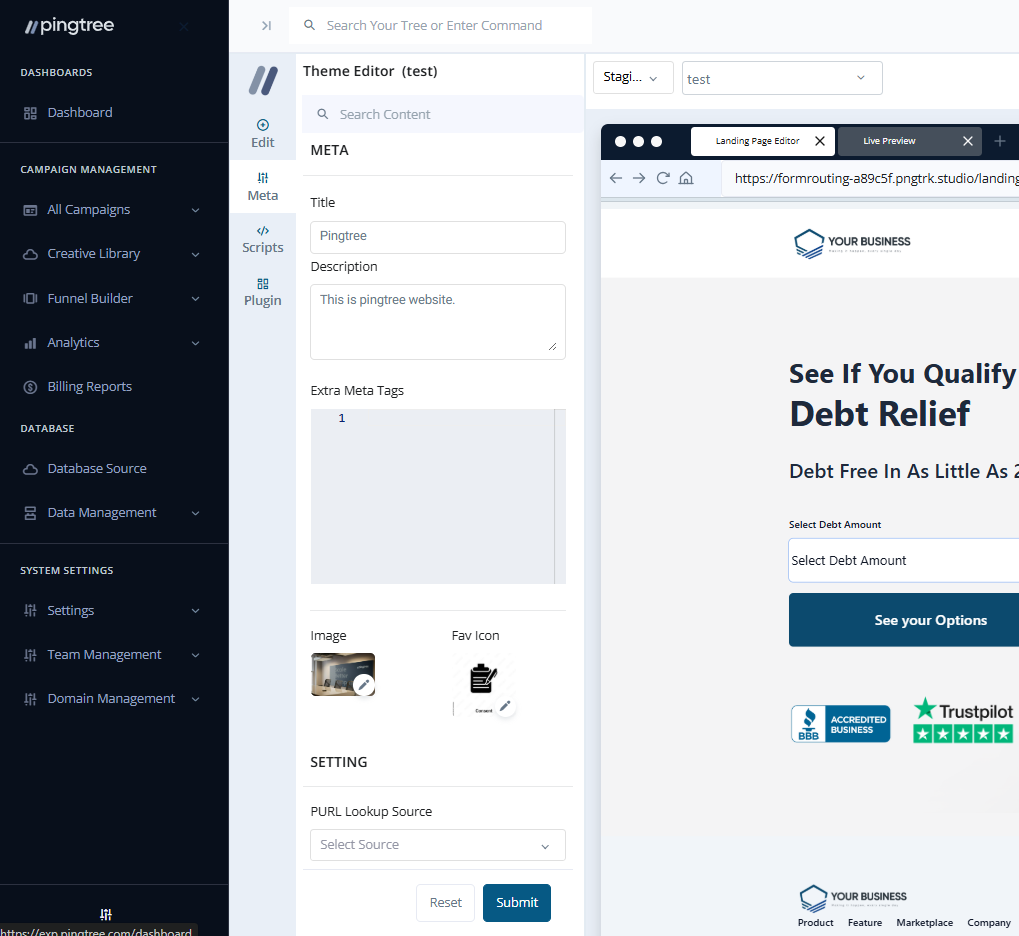 Customize SEO metadata for the landing page:
* **Meta Title**
* **Meta Description**
* **Extra Meta Tags**
* **Meta Image**
* **PURL Lookup Source** (for personalization via URL parameters)
***
### 3. Script
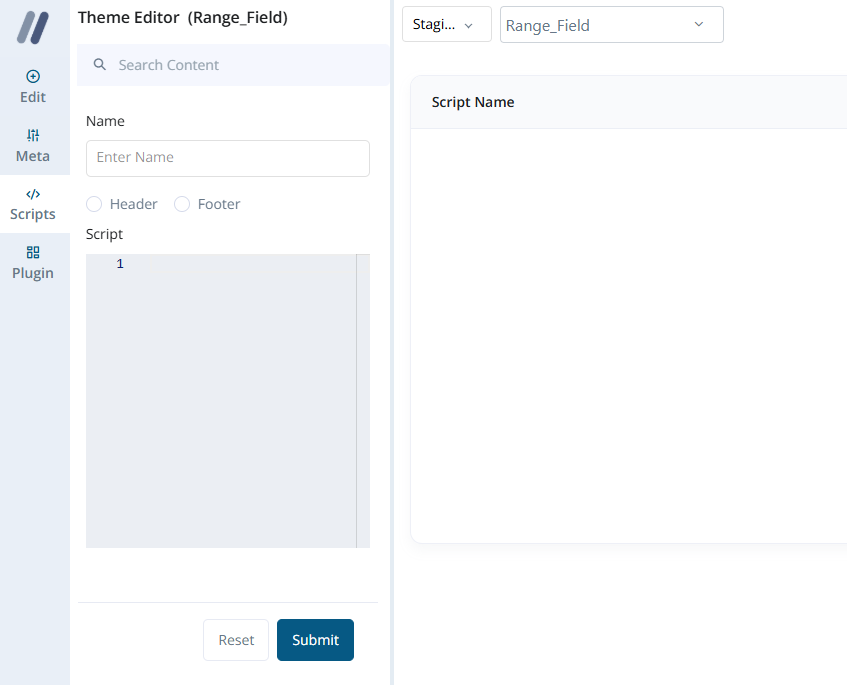
Embed custom scripts or third-party integrations:
* Add scripts by **Name**
* Define placement: **Header** or **Footer**
Customize SEO metadata for the landing page:
* **Meta Title**
* **Meta Description**
* **Extra Meta Tags**
* **Meta Image**
* **PURL Lookup Source** (for personalization via URL parameters)
***
### 3. Script
Embed custom scripts or third-party integrations:
* Add scripts by **Name**
* Define placement: **Header** or **Footer**
 ***
### 4. Plugins
Enable built-in functionality enhancements:
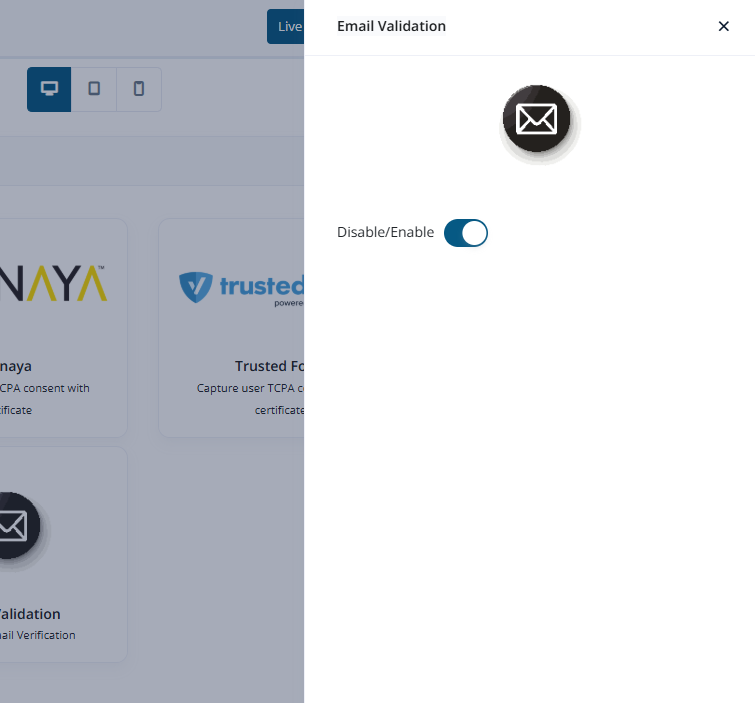
* **Phone Validation**
* **User Session Tracking & Playback**
* **Jornaya (TCPA Certification)**
* **Email Validation**
* **Trusted Form**
* **Blacklist Alliance (Litigator/DNC Screening)**
Each plugin includes a toggle and configuration popup.
***
### 4. Plugins
Enable built-in functionality enhancements:
* **Phone Validation**
* **User Session Tracking & Playback**
* **Jornaya (TCPA Certification)**
* **Email Validation**
* **Trusted Form**
* **Blacklist Alliance (Litigator/DNC Screening)**
Each plugin includes a toggle and configuration popup.
 ***
## Right Panel Features
### Top Bar
***
## Right Panel Features
### Top Bar
 * **Environment Switch**: Toggle between **Staging** and **Production** (default is Staging for safe edits).
* **Page Selector Dropdown**: Navigate across different page types.
* **Version Control**: Maintain and rollback to the last **5 saved versions**.
* **Responsive View**: Preview the design on **Mobile**, **Tablet**, and **Desktop**.
* **Save Changes**: Save in Staging without publishing.
* **Publish Changes**: Push updates live to Production.
***
### Visual Editor
* Live, interactive canvas for drag-and-drop editing.
* Click any element to open direct customization options.
#### Element Editing Options
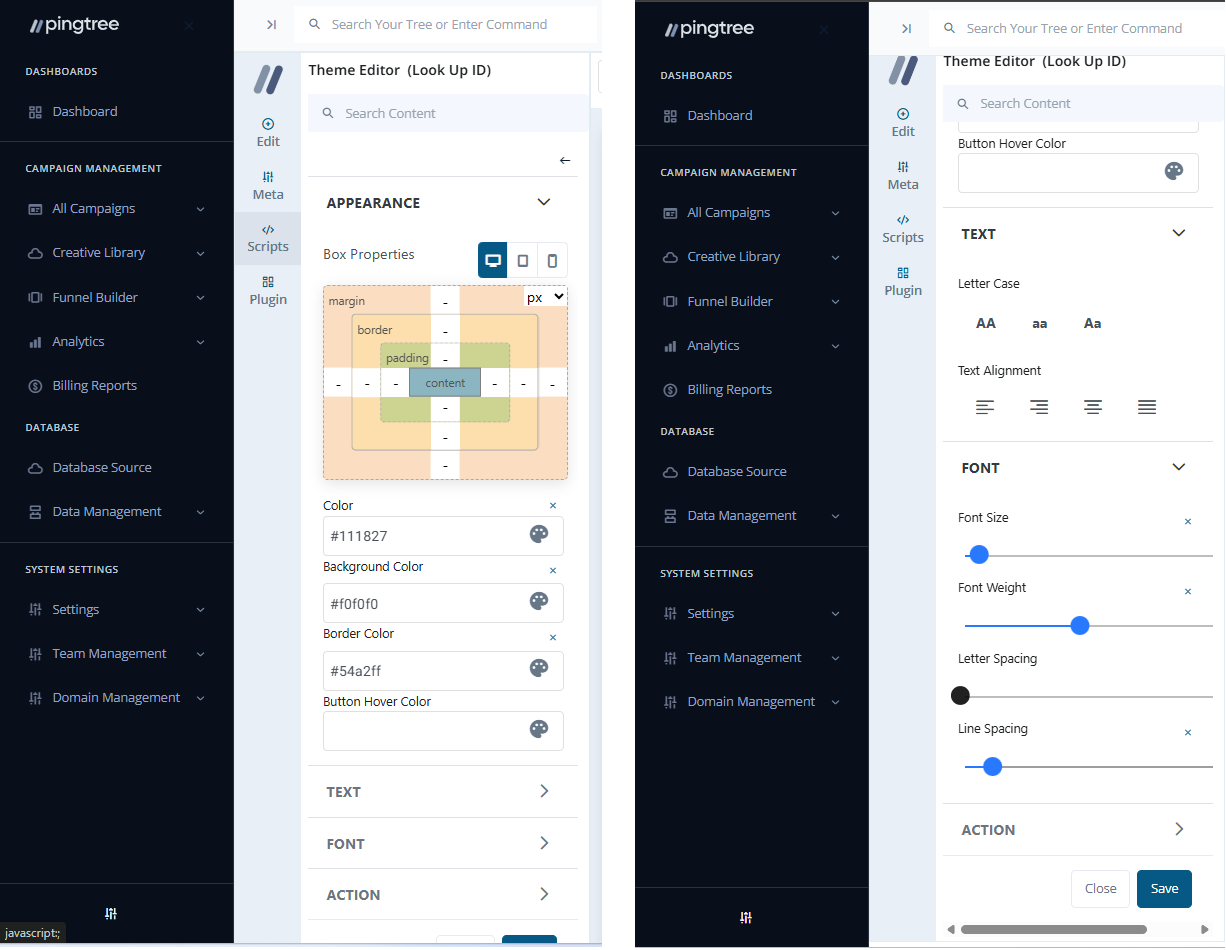
**Text:**
* Update content inline.
* Style controls: Font size, weight, spacing, color, alignment.
* Set actions: Redirect (same tab/new tab) or apply routing logic.
* **Environment Switch**: Toggle between **Staging** and **Production** (default is Staging for safe edits).
* **Page Selector Dropdown**: Navigate across different page types.
* **Version Control**: Maintain and rollback to the last **5 saved versions**.
* **Responsive View**: Preview the design on **Mobile**, **Tablet**, and **Desktop**.
* **Save Changes**: Save in Staging without publishing.
* **Publish Changes**: Push updates live to Production.
***
### Visual Editor
* Live, interactive canvas for drag-and-drop editing.
* Click any element to open direct customization options.
#### Element Editing Options
**Text:**
* Update content inline.
* Style controls: Font size, weight, spacing, color, alignment.
* Set actions: Redirect (same tab/new tab) or apply routing logic.
 **Supported Redirection Logic:**
* Update Lead + Redirect
* Submit Lead + Redirect
* Fetch Lead + Redirect (e.g., for ZIP-based flows)
* Lookup + Update Lead + Redirect from Flow
* Flow-based Thank You or Offerwall redirection
* External Page Redirect
* Scroll to Top
**Supported Redirection Logic:**
* Update Lead + Redirect
* Submit Lead + Redirect
* Fetch Lead + Redirect (e.g., for ZIP-based flows)
* Lookup + Update Lead + Redirect from Flow
* Flow-based Thank You or Offerwall redirection
* External Page Redirect
* Scroll to Top
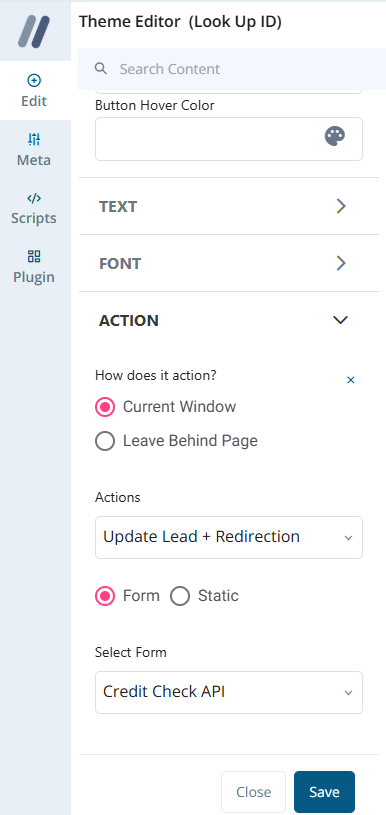 **Image:**
* Change image source
* Set alt text
* Style with padding, margin, and borders
***
### Section Tools
**Image:**
* Change image source
* Set alt text
* Style with padding, margin, and borders
***
### Section Tools
 Each section added via the Section Picker includes:
* **Code Editor**: Edit HTML/CSS for individual sections or global styles.
* **Appearance Editor**: Customize:
* Backgrounds
* Spacing (PX/REM)
* Borders
* **Delete Section**: Remove section entirely from layout.
***
## Summary
The Landing Page Builder View gives you everything needed to build professional, responsive, and conversion-focused landing pages. From detailed SEO configs and third-party integrations to pixel-perfect drag-and-drop editing, it’s a full-suite experience optimized for both marketing teams and developers.
Each section added via the Section Picker includes:
* **Code Editor**: Edit HTML/CSS for individual sections or global styles.
* **Appearance Editor**: Customize:
* Backgrounds
* Spacing (PX/REM)
* Borders
* **Delete Section**: Remove section entirely from layout.
***
## Summary
The Landing Page Builder View gives you everything needed to build professional, responsive, and conversion-focused landing pages. From detailed SEO configs and third-party integrations to pixel-perfect drag-and-drop editing, it’s a full-suite experience optimized for both marketing teams and developers.