> ## Documentation Index
> Fetch the complete documentation index at: https://docs.pingtree.com/llms.txt
> Use this file to discover all available pages before exploring further.
# Landing Pages
> Manage and monitor all landing pages in your campaign, including metrics, conversion data, and creation tools.
## Introduction
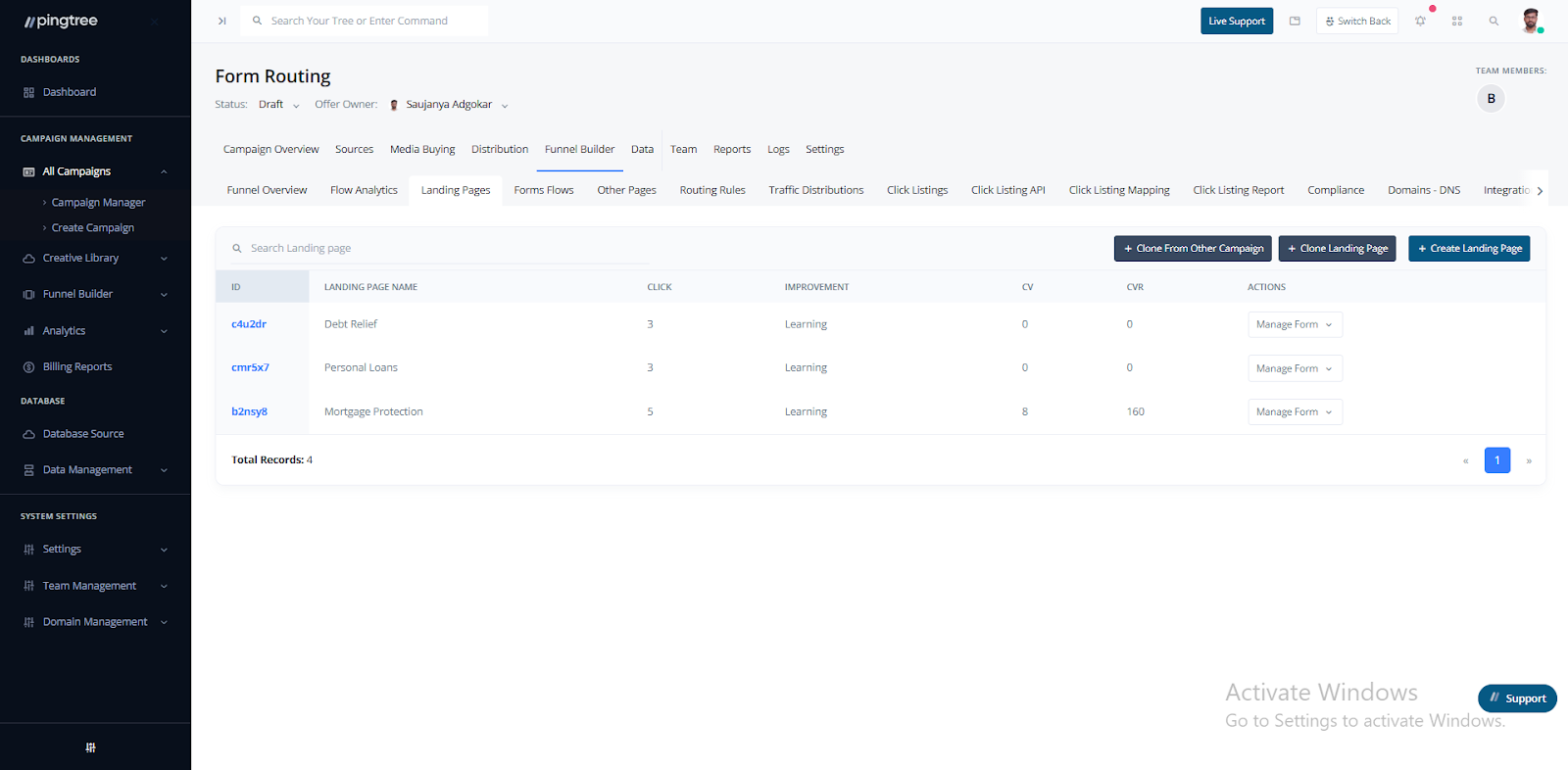
The **Landing Pages** tab provides a detailed view of all landing pages associated with your campaign. This section allows you to track performance metrics, manage existing pages, and create or clone landing pages for optimization and testing.
 ***
## Landing Pages List
### Search Bar
A search bar at the top of the table allows you to quickly find specific landing pages by **name** or **ID**.
### Table Structure
The table displays key information for each landing page:
* **ID**: Unique identifier for each landing page.
* **Landing Page Name**: Easy-to-recognize name for each page.
* **Clicks**: Total clicks recorded.
* **Improvement**: Suggestions or metrics that highlight areas for optimization.
* **CV (Conversions)**: Number of conversions attributed to the landing page.
* **CVR (Conversion Rate)**: Percentage of visitors who converted.
* **Actions**: View, edit, or delete the landing page.
***
## Managing Landing Pages
You can take three main actions from this tab:
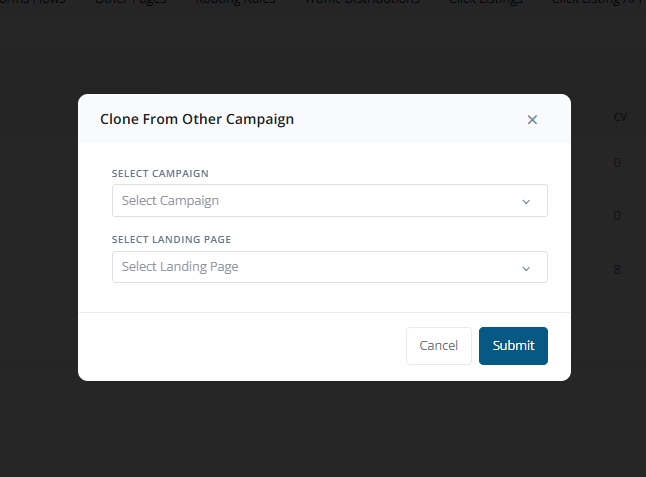
### 1. **Clone from Other Campaign**
* Duplicate a landing page from another campaign.
* Select the campaign and the specific landing page you wish to clone.
* The cloned page can then be edited to match the current campaign’s requirements.
***
## Landing Pages List
### Search Bar
A search bar at the top of the table allows you to quickly find specific landing pages by **name** or **ID**.
### Table Structure
The table displays key information for each landing page:
* **ID**: Unique identifier for each landing page.
* **Landing Page Name**: Easy-to-recognize name for each page.
* **Clicks**: Total clicks recorded.
* **Improvement**: Suggestions or metrics that highlight areas for optimization.
* **CV (Conversions)**: Number of conversions attributed to the landing page.
* **CVR (Conversion Rate)**: Percentage of visitors who converted.
* **Actions**: View, edit, or delete the landing page.
***
## Managing Landing Pages
You can take three main actions from this tab:
### 1. **Clone from Other Campaign**
* Duplicate a landing page from another campaign.
* Select the campaign and the specific landing page you wish to clone.
* The cloned page can then be edited to match the current campaign’s requirements.
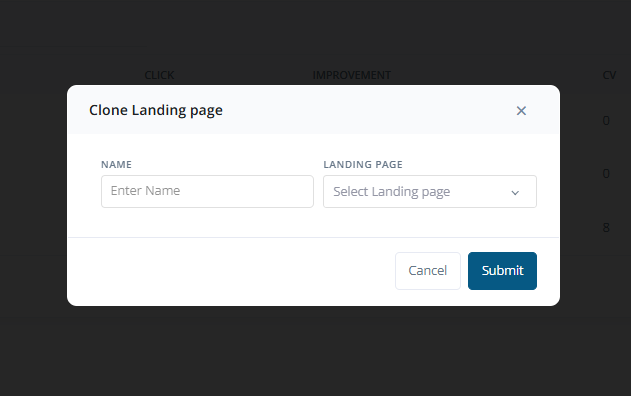
 ### 2. **Clone Landing Page**
* Create an exact copy of an existing landing page within the same campaign.
* Provide a unique name for the new page.
* Select the page you want to duplicate.
### 2. **Clone Landing Page**
* Create an exact copy of an existing landing page within the same campaign.
* Provide a unique name for the new page.
* Select the page you want to duplicate.
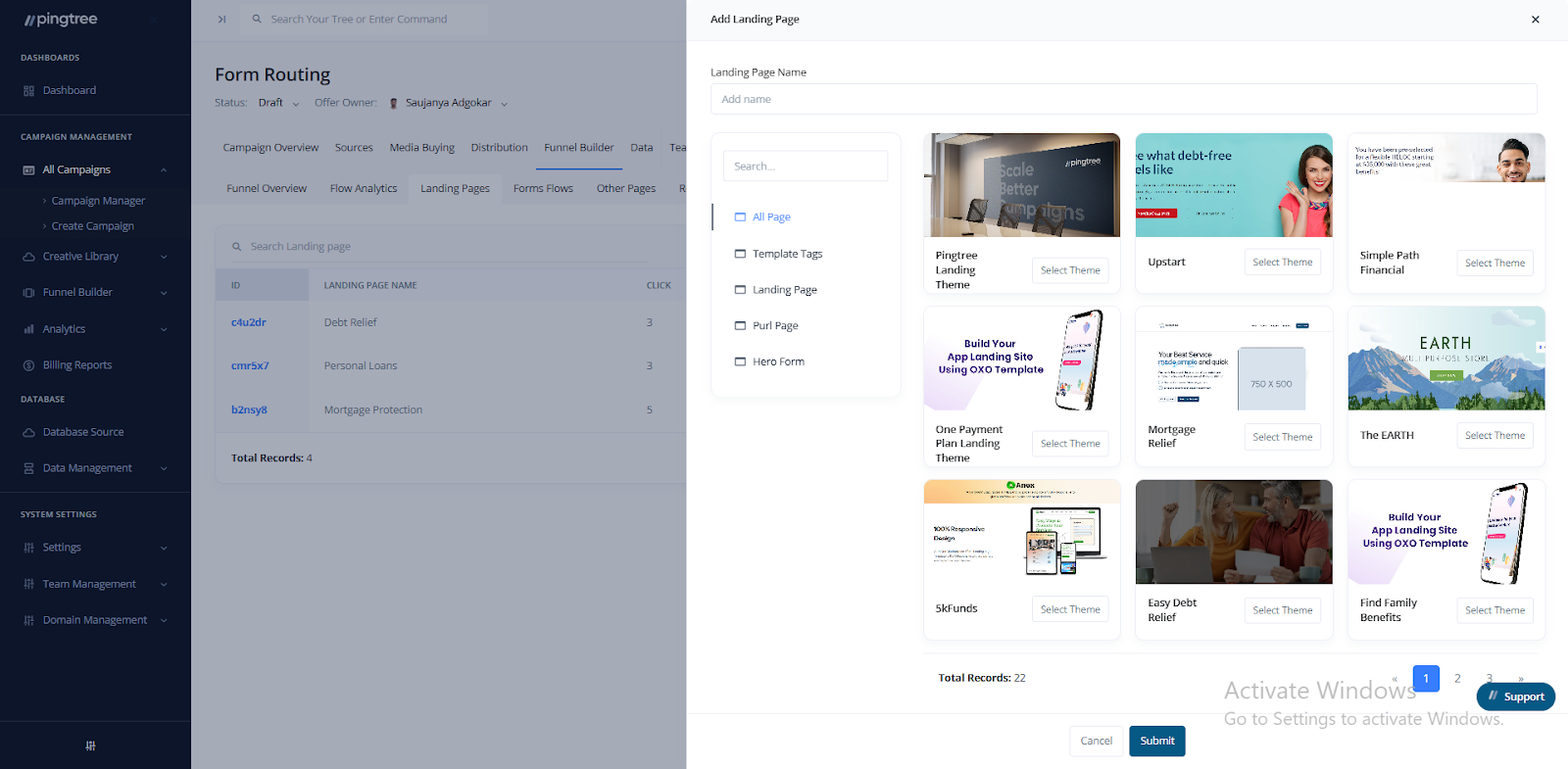
 ### 3. **Create Landing Page**
* Design a brand new landing page from scratch or by using templates.
* Customize the layout, content, and behavior to suit the campaign’s objectives.
### 3. **Create Landing Page**
* Design a brand new landing page from scratch or by using templates.
* Customize the layout, content, and behavior to suit the campaign’s objectives.
 ***
## Important Notes
* **Landing Page Name** must be unique.
* The **postfix** (i.e., the URL path after the domain) is crucial and should be carefully chosen for each page.
***
## Important Notes
* **Landing Page Name** must be unique.
* The **postfix** (i.e., the URL path after the domain) is crucial and should be carefully chosen for each page.