> ## Documentation Index
> Fetch the complete documentation index at: https://docs.pingtree.com/llms.txt
> Use this file to discover all available pages before exploring further.
# Other Pages
> Manage supplemental campaign pages such as privacy policies, terms, and thank you pages.
## Overview
The **Other Pages** section allows users to create and manage all non-primary landing and form pages associated with a campaign. This includes important legal and informational content such as Terms & Conditions, Privacy Policies, Marketing Partner Disclosures, and more.
It maintains a consistent layout and functionality with the standard layout builder, ensuring a familiar and user-friendly experience.
***
## Features
### Familiar Interface
The **Other Pages** section shares the same user-friendly layout as the **Landing Page** and **Form Flow** builders. This consistency ensures a smooth experience when switching between page types.
> **Tip:** Using the same builder interface across all page types reduces the learning curve and promotes efficient content creation.
***
### Page Creation Options
The Other Pages section provides three main methods to build or duplicate pages:
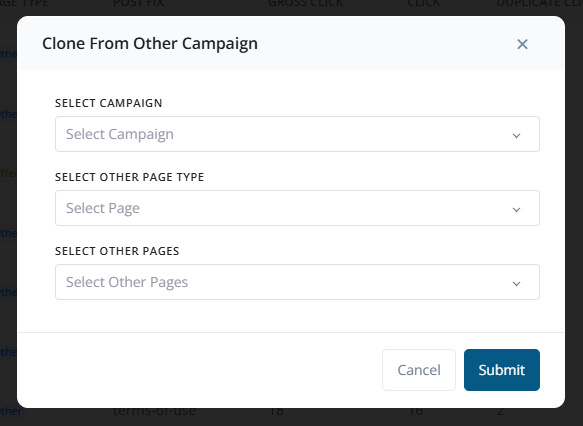
 #### 1. Clone from Other Campaigns
Easily replicate a page from a different campaign:
* Select an existing campaign from the dropdown list.
* Choose the **Other Page Type** (e.g., Thank You, Offerwall).
* Select the specific page you want to clone.
#### 1. Clone from Other Campaigns
Easily replicate a page from a different campaign:
* Select an existing campaign from the dropdown list.
* Choose the **Other Page Type** (e.g., Thank You, Offerwall).
* Select the specific page you want to clone.
 #### 2. Clone from Existing Pages (Same Campaign)
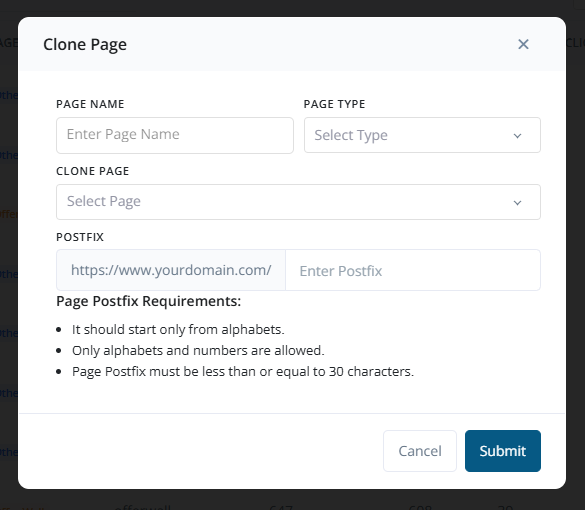
Duplicate a page within the current campaign:
* Enter a new **Page Name**.
* Select the **Page Type**.
* Choose the **Existing Page** to copy.
* Add a **Postfix** to differentiate the cloned page, following naming conventions.
#### 2. Clone from Existing Pages (Same Campaign)
Duplicate a page within the current campaign:
* Enter a new **Page Name**.
* Select the **Page Type**.
* Choose the **Existing Page** to copy.
* Add a **Postfix** to differentiate the cloned page, following naming conventions.
 #### 3. Create New Page from Scratch
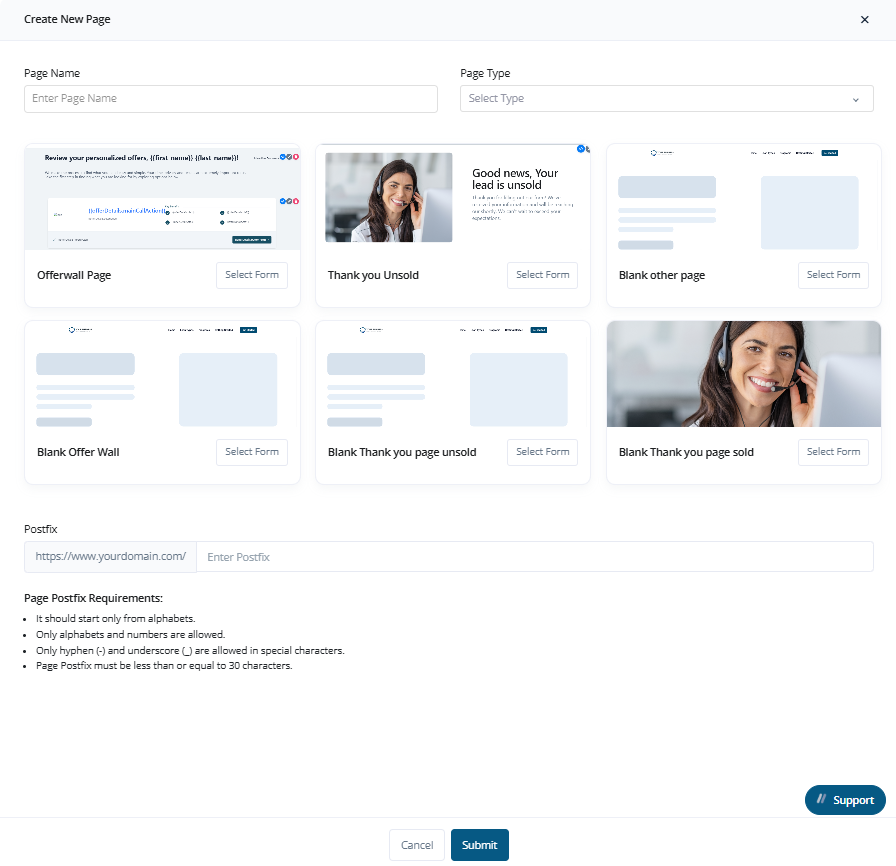
Manually create a new page:
* Enter the **Page Name**.
* Select the **Page Type**.
* Choose a starting **Template**.
* Add a **Postfix** as per naming rules.
#### 3. Create New Page from Scratch
Manually create a new page:
* Enter the **Page Name**.
* Select the **Page Type**.
* Choose a starting **Template**.
* Add a **Postfix** as per naming rules.
 > **Tip:** Use pre-defined templates for common page types like Privacy Policy or Thank You Page to speed up page creation.
***
## Page Management Options
Once pages are created, the following actions are available:
* **Edit a Page**: Navigate to `Manage Flow → Edit Page`.
* **Delete a Page**: Navigate to `Manage Flow → Delete Page`.
> **Tip:** Use pre-defined templates for common page types like Privacy Policy or Thank You Page to speed up page creation.
***
## Page Management Options
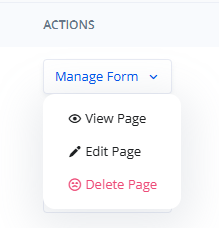
Once pages are created, the following actions are available:
* **Edit a Page**: Navigate to `Manage Flow → Edit Page`.
* **Delete a Page**: Navigate to `Manage Flow → Delete Page`.
 You can also **clone** existing pages or **create new ones** using the built-in layout builder tools, including drag-and-drop blocks and styling options.
***
## Page Type Categories
Other Pages support multiple types of supplementary content:
* **Thank You Page**
* **Thank You - SOLD**
* **Thank You - UNSOLD**
* **Offerwall Page**
* **Other Page** (Custom content like Terms, Privacy, Disclaimers, etc.)
These categories help in organizing your funnel's post-submission and informational pages.
***
## Use Cases
Common types of pages managed here include:
* Terms & Conditions
* Privacy Policy
* Marketing Partner Information
* Thank You Pages
* Disclaimers
* Custom Redirect Pages
* Legal or Regulatory Disclosures
These pages are essential for ensuring legal compliance, transparency, and user experience.
***
## Summary
The **Other Pages** view is a flexible space for managing all supporting pages of a campaign. Whether you're meeting compliance requirements or enhancing the user journey, this section gives you the tools to create, organize, and control every essential campaign page.
You can also **clone** existing pages or **create new ones** using the built-in layout builder tools, including drag-and-drop blocks and styling options.
***
## Page Type Categories
Other Pages support multiple types of supplementary content:
* **Thank You Page**
* **Thank You - SOLD**
* **Thank You - UNSOLD**
* **Offerwall Page**
* **Other Page** (Custom content like Terms, Privacy, Disclaimers, etc.)
These categories help in organizing your funnel's post-submission and informational pages.
***
## Use Cases
Common types of pages managed here include:
* Terms & Conditions
* Privacy Policy
* Marketing Partner Information
* Thank You Pages
* Disclaimers
* Custom Redirect Pages
* Legal or Regulatory Disclosures
These pages are essential for ensuring legal compliance, transparency, and user experience.
***
## Summary
The **Other Pages** view is a flexible space for managing all supporting pages of a campaign. Whether you're meeting compliance requirements or enhancing the user journey, this section gives you the tools to create, organize, and control every essential campaign page.