

Overview
The Billing Report gives you a complete, itemized view of your organization’s charges each billing period. From here you can review usage costs, make payments, and generate custom usage reports — all without leaving the platform. Navigate to Billing > Billing Report to access this section.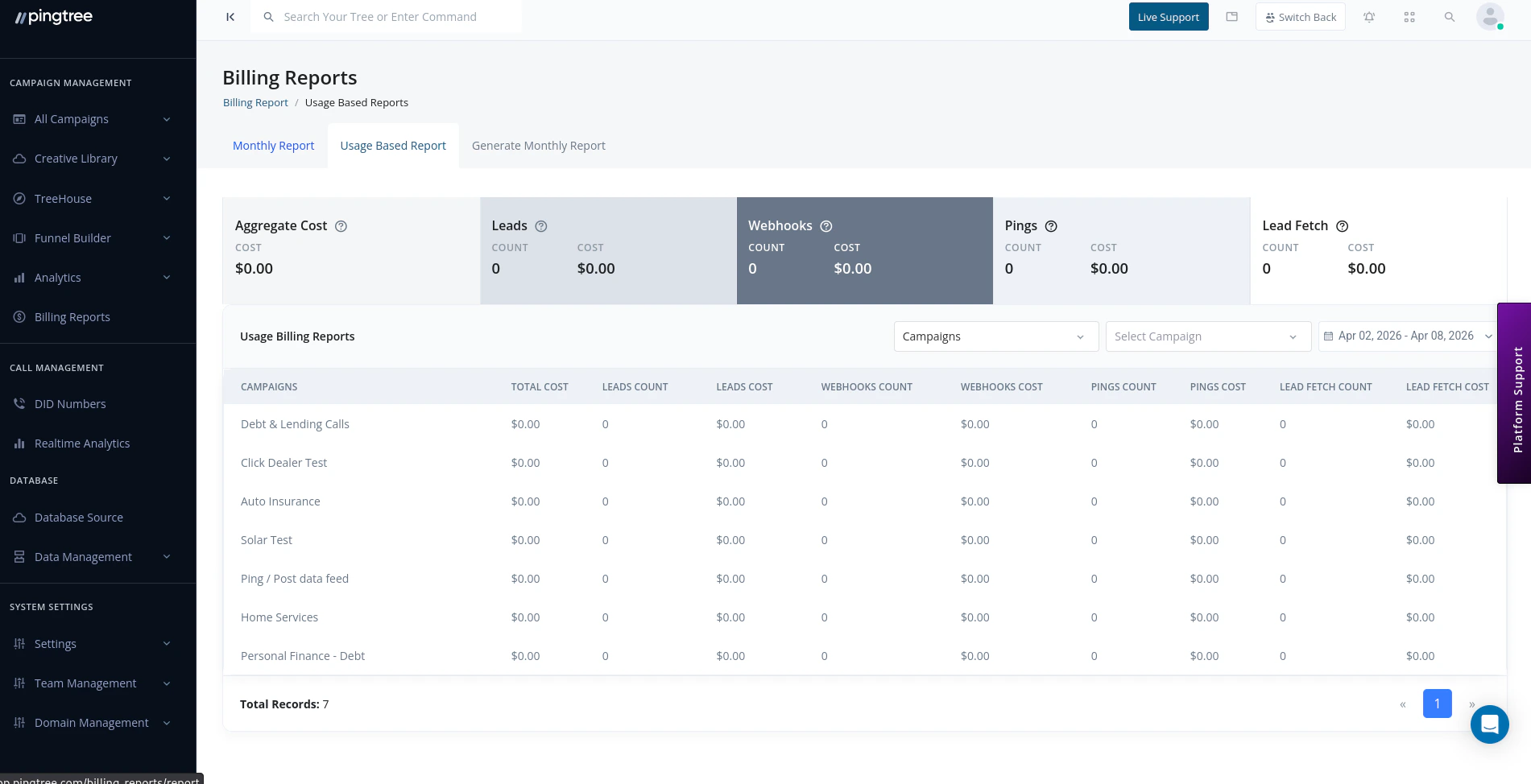
Monthly billing report with usage breakdown and payment status
Monthly Billing Records
Each billing period generates a record that breaks down all charges for that month. The billing table shows:
Click on any billing record to see the full itemized breakdown.
Usage-Based Billing Breakdown
If your account uses usage-based billing, charges are calculated on actual platform activity. The breakdown includes:
Each usage type has a per-unit rate and a free tier allowance (see Free Tier Allowances below). You are only charged for usage above the free tier.
Integration Usage Tracking
Third-party integrations are billed per API call. The billing report tracks usage for each integration separately so you can understand which services drive the most cost.
Each integration row shows:
- Total calls made during the billing period
- Cost per call
- Total cost for that integration
Base Cost and Service Cost Breakdown
The billing report always separates base costs from usage costs so you have a clear view of your predictable vs. variable spend.
Domain Costs
Domain charges appear as a separate line item in your billing record.
Domain costs reflect annual registration fees prorated monthly where applicable. Renewal charges appear in the billing period when the renewal occurs.
DID Number Costs
If your organization uses DID (Direct Inward Dialing) phone numbers for call tracking or routing, each active number incurs a monthly fee. The billing report shows:- Number of active DID numbers
- Monthly cost per number
- Total DID charges for the period
Payment Status and History
Each billing record shows a payment status:
Click on a billing record and select View Payment History to see a log of all payments applied to that invoice.
Making a Payment
You can pay an open invoice directly from the Billing Report without leaving the platform.- Locate the billing record with a Pending or Overdue status.
- Click Make Payment.
- Select the payment method you want to use (credit card or bank account on file).
- Confirm the payment amount.
- Click Submit Payment.
Tip: To add or update payment methods before paying an invoice, go to Settings > Payment Methods.
Generating Custom Usage Reports
If you need a detailed export of your usage data:- Go to Billing > Billing Report.
- Click Generate Report.
- Select the date range you want to cover.
- Choose the data types to include (leads, webhooks, pings, integrations, etc.).
- Click Export.
Billing Tiers and Free Tier Allowances
Pingtree plans include a free tier for core usage types before per-unit charges apply.
Your billing tier details are visible at the top of the Billing Report page. Contact your Pingtree account manager to discuss plan upgrades if you regularly exceed your free tier limits.
Organization Status
Your organization’s billing status affects platform access:
The current organization status is displayed in your account settings and in the billing report header.