

Overview
The Media Buying section lets you connect your paid advertising accounts directly to Pingtree. Once connected, you can view ad spend, impressions, and click data from Meta, Google Ads, and TikTok alongside your lead revenue — giving you a true picture of ROI for every dollar you spend.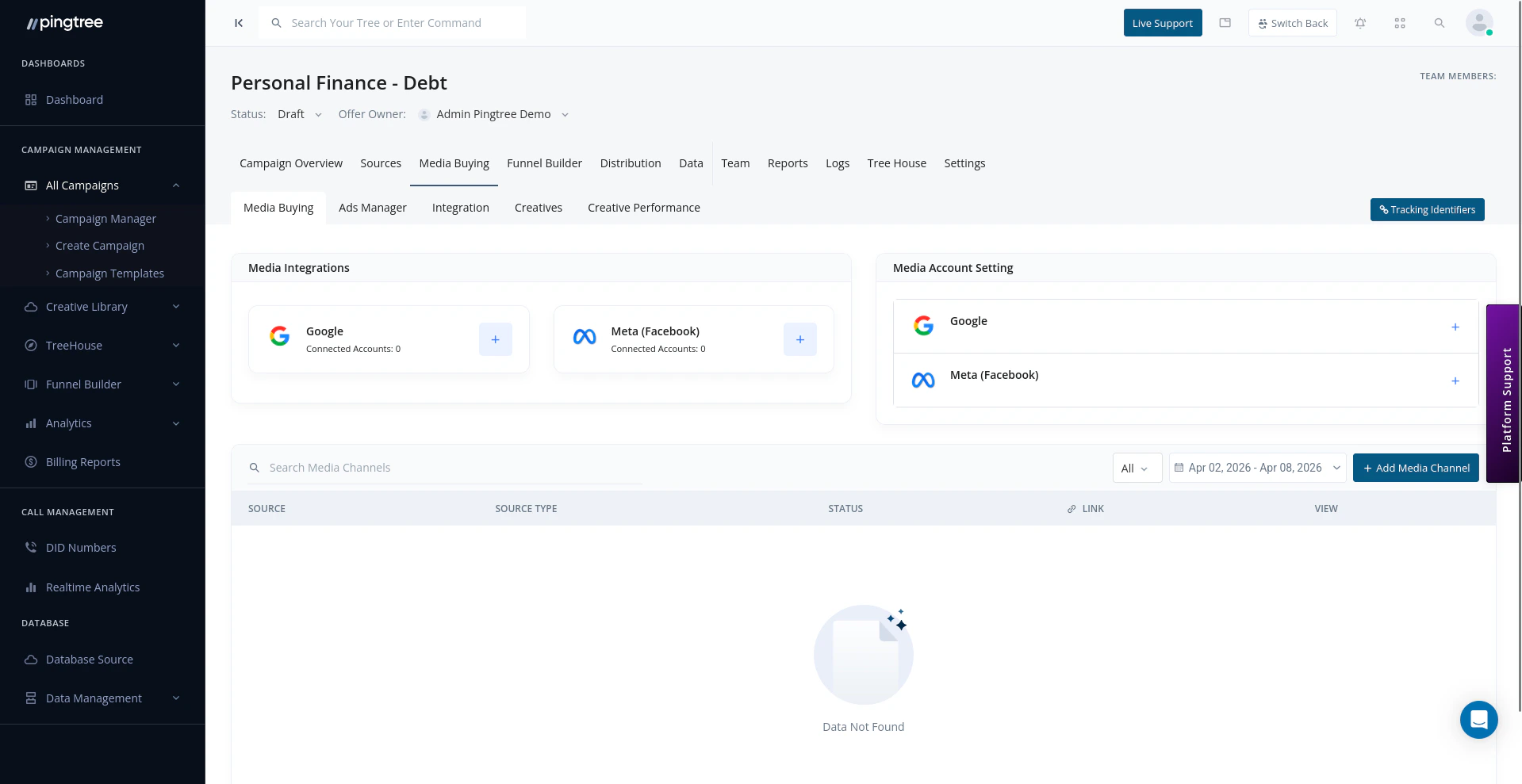
Media buying dashboard showing connected ad accounts
How Media Buying Works in Pingtree
When you connect an ad platform to a campaign:- Pingtree links your ad account via OAuth (a secure login flow — no passwords shared).
- A Media Channel (MC) source is automatically created in your campaign for that platform.
- Ad-level data (spend, impressions, clicks) is imported and matched to lead performance.
- You can track cost, revenue, and profit at the ad account, campaign, ad set, and ad level.
Connecting Ad Platforms
Pingtree supports OAuth connections with the following platforms:
To connect an ad platform:
- Navigate to Media Buying within your campaign.
- Click Connect Platform and select the ad network.
- You will be redirected to the platform’s login page (OAuth flow).
- Authorize Pingtree to read your ad account data.
- Select the ad accounts you want to import into this campaign.
- Click Confirm — your ad accounts will appear in the connected accounts list.
Tip: You can connect multiple ad accounts per platform (e.g., two separate Meta ad accounts for different brands). Each account will be listed separately in the media buying dashboard.
Viewing Connected Ad Accounts
Once connected, all active ad accounts are listed with a summary of their performance:
Use the date range filter at the top to view data for any time period.
Importing Campaign, Ad Set, and Ad Level Data
Pingtree imports performance data at three levels of granularity:
Drill into any level to see spend and lead metrics side by side. This helps you pinpoint which specific ads are generating the best-quality leads at the lowest cost.
Media Channel (MC) Sources
When you connect an ad platform, Pingtree automatically creates a Media Channel (MC) source for it. This source is visible in your campaign’s Sources section and is used for:- Attributing leads back to the correct ad platform and campaign
- Applying cap settings and payout rules at the media channel level
- Running enhanced conversion postbacks to the ad platform
Tracking Ad Spend Alongside Lead Revenue
One of the most powerful features of media buying integration is seeing ad spend and lead revenue in the same place:
This eliminates the need to reconcile data across multiple dashboards. Everything lives in one view.
Managing Multiple Ad Accounts
If you manage multiple brands or clients, you can connect separate ad accounts per campaign:- Each campaign can have its own set of connected ad accounts.
- Ad accounts from the same platform can be connected across multiple campaigns without conflict.
- Disconnect an ad account at any time from the connected accounts list by clicking the remove icon.
Important Notes
- Pingtree reads ad data in read-only mode. It does not create, edit, or pause ads on your behalf.
- Data sync frequency depends on the platform’s API — typically refreshed every few hours.
- Enhanced conversion postbacks (sending lead conversion data back to the ad platform) are configured separately under the source’s Postbacks tab.