

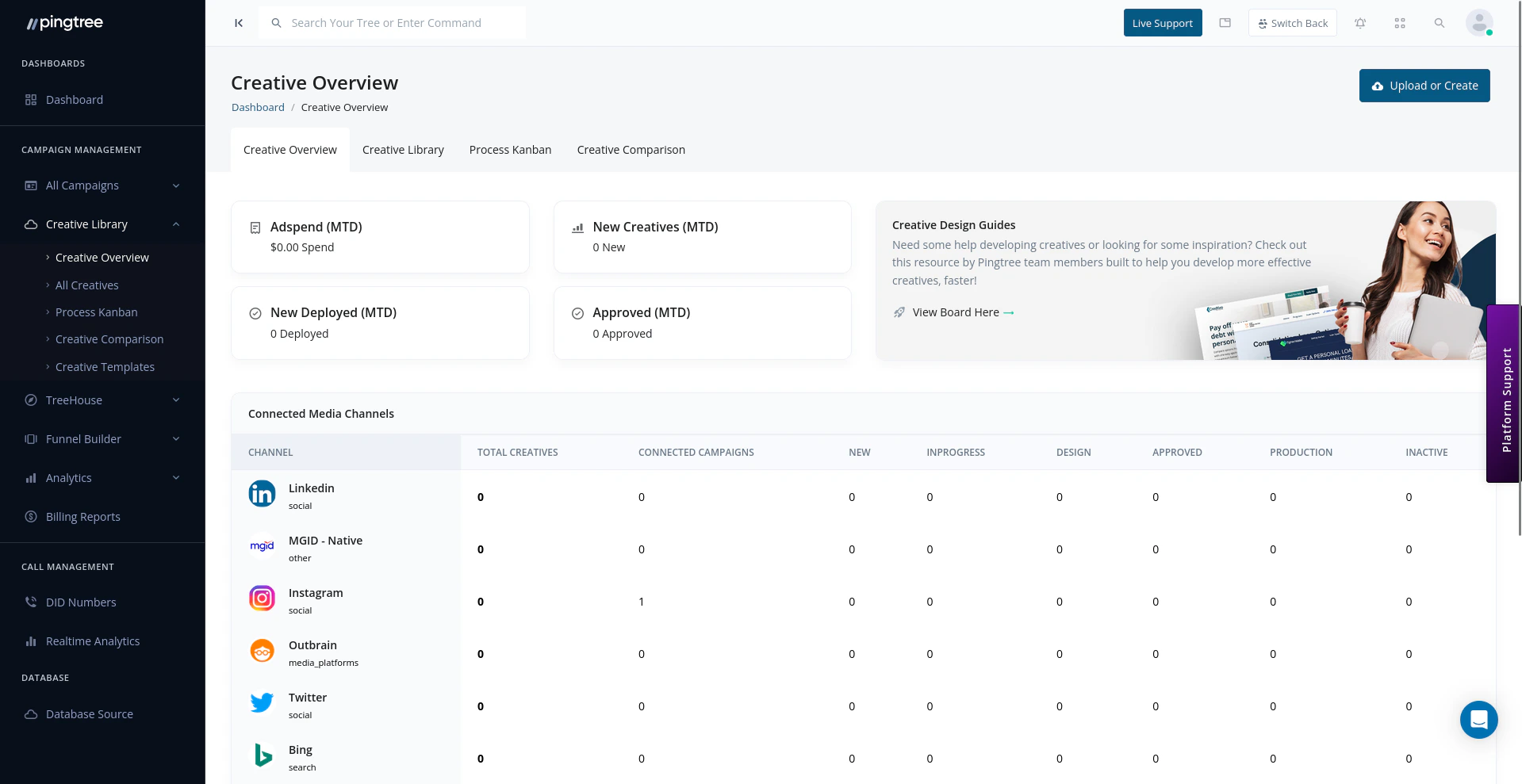
Creative Overview dashboard with status cards, connected media channels, and creative metrics
Status Breakdown
Every creative in Pingtree is assigned one of the following statuses as it moves through the production workflow.
The overview dashboard displays a count for each status, so you can immediately see how many creatives are waiting on review, stuck in production, or ready to go live.
Type Breakdown
Creatives are grouped by their media type:
The type breakdown lets you see the composition of your creative library at a glance and helps identify gaps — for example, if a campaign relies heavily on image creatives but lacks video alternatives.
Quick Filters and Search
The overview includes filters so you can narrow down the creatives shown without leaving the dashboard:- Search by name or ID — find a specific creative instantly using its name or unique ID.
- Filter by status — isolate creatives at a particular workflow stage.
- Filter by type — view only image, video, or text creatives.
- Filter by campaign — focus on creatives assigned to a specific campaign.
Tip: Use the status filter combined with a campaign filter to quickly find all creatives awaiting approval for a specific campaign before a launch deadline.
Performance Summary
The overview surfaces aggregated performance metrics across all creatives, giving you a rolled-up view of creative effectiveness:- Total impressions across all active creatives.
- Total clicks and overall click-through rate (CTR).
- Conversion contributions — how many conversions can be attributed to creative-driven traffic.
- Top performing creative — the single creative driving the highest engagement.
Recent Uploads and Activity
The Recent Activity feed at the bottom of the overview shows the latest changes across your creative library:- Newly uploaded creatives.
- Status changes (e.g., a creative moved from In Design Review to Approved).
- Creatives assigned to or removed from campaigns.
- Bulk actions performed (e.g., a batch of creatives marked as Approved).
Tip: Check the Recent Activity feed at the start of each day to stay on top of creative approvals, rejections, and new uploads without needing to monitor individual campaigns.