

Overview
Pingtree includes a standard set of lead fields out of the box — name, email, phone, address, and other common identifiers. Custom Fields let you go beyond these defaults by defining additional data points specific to your vertical, advertiser requirements, or internal workflows. Custom fields can be used for data capture, import mapping, export filtering, and campaign-level field management.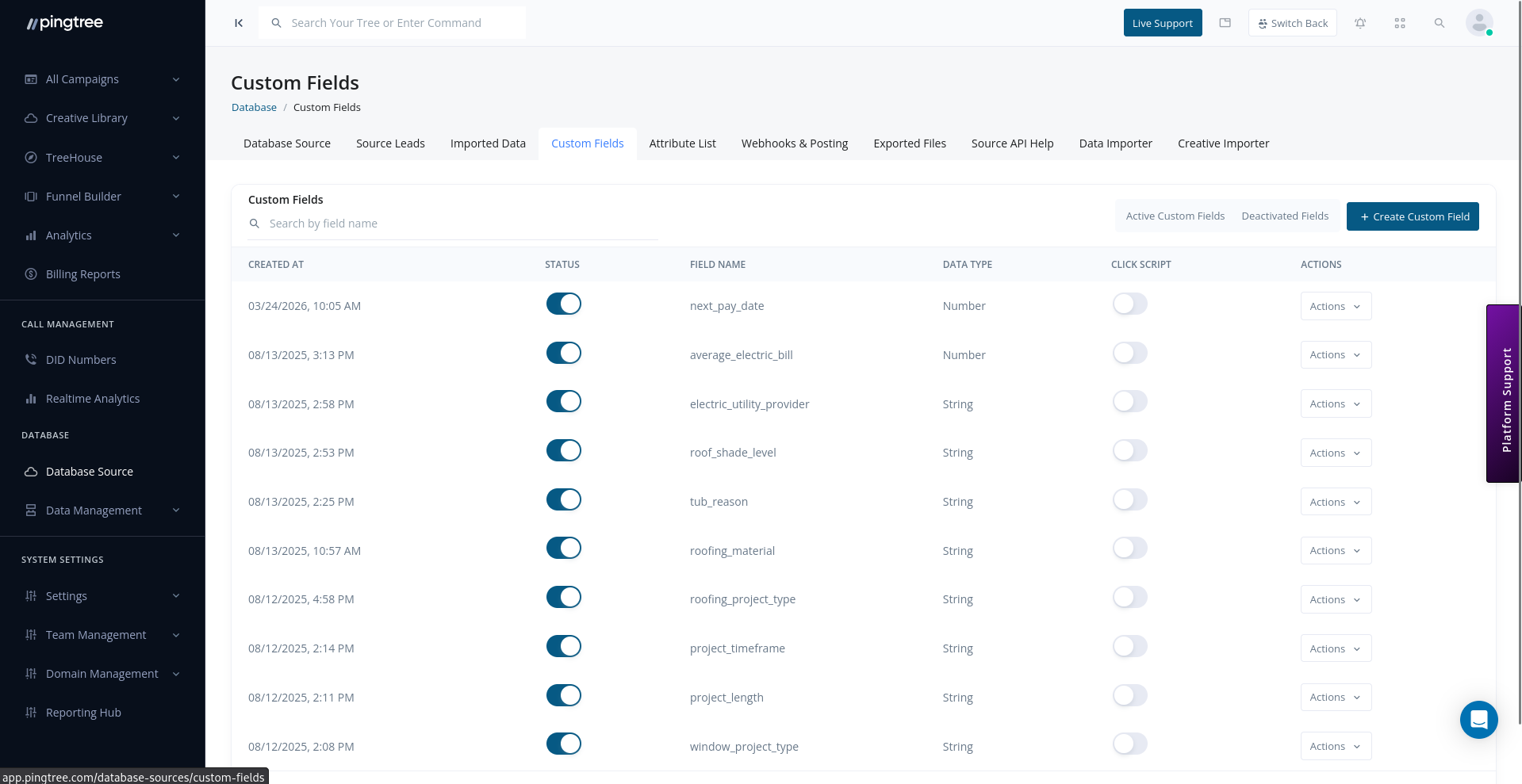
Custom Fields list with field names, data types, and status toggles
Default vs. Custom Fields
Supported Field Types
When creating a custom field, choose the data type that matches the values you expect to collect:Creating a Custom Field
- Navigate to the Custom Fields tab within your database source (or via the organization-level field settings).
- Click Add Custom Field.
- Fill in the field details:
- Click Save.
Tip: Field keys should be lowercase and use underscores instead of spaces. They are used in API payloads and CSV column headers, so consistency matters.
Marking Fields as Required or Optional
Any field — system or custom — can be set as required for a specific database source. When a lead submission is missing a required field, it is rejected at ingestion time with a clear error message indicating which field is absent. To update a field’s required status:- Go to the Custom Fields tab.
- Find the field you want to update.
- Toggle the Required switch on or off.
- Save the change.
Enabling and Disabling Fields per Campaign
Custom fields can be enabled or disabled at the campaign level. This lets you collect different data points depending on which campaign a lead flows through. To manage field availability per campaign:- Open the campaign linked to your database source.
- Navigate to Settings > Field Management.
- Toggle each custom field on or off for that campaign.
Tip: Disabling a field at the campaign level does not delete the field or its data — it simply stops the field from appearing in the campaign’s form API spec and submission validation.
Click Script Fields
Click Script fields are a special category of custom field that capture data points via JavaScript tracking embedded on your landing pages or thank-you pages. These fields are populated client-side when a visitor interacts with your funnel, and the values are passed along with the lead submission. Common uses include:- Capturing the click ID from an ad network.
- Recording the time spent on a page before conversion.
- Storing the referring domain or UTM parameters.
- Create the custom field and mark it as a Click Script field type.
- Configure the JavaScript variable or DOM element selector the script should read from.
- The click script will automatically populate the field value at submission time.
SubID Fields
SubID fields are dedicated tracking parameters used by affiliate traffic sources (Marketing Partners) to pass sub-account or campaign-level identifiers alongside a lead.
SubID values appear in the SubID Report and can be used to analyze performance at the sub-publisher level.